Building a content design system for Quentic

Building a content design system for Quentic

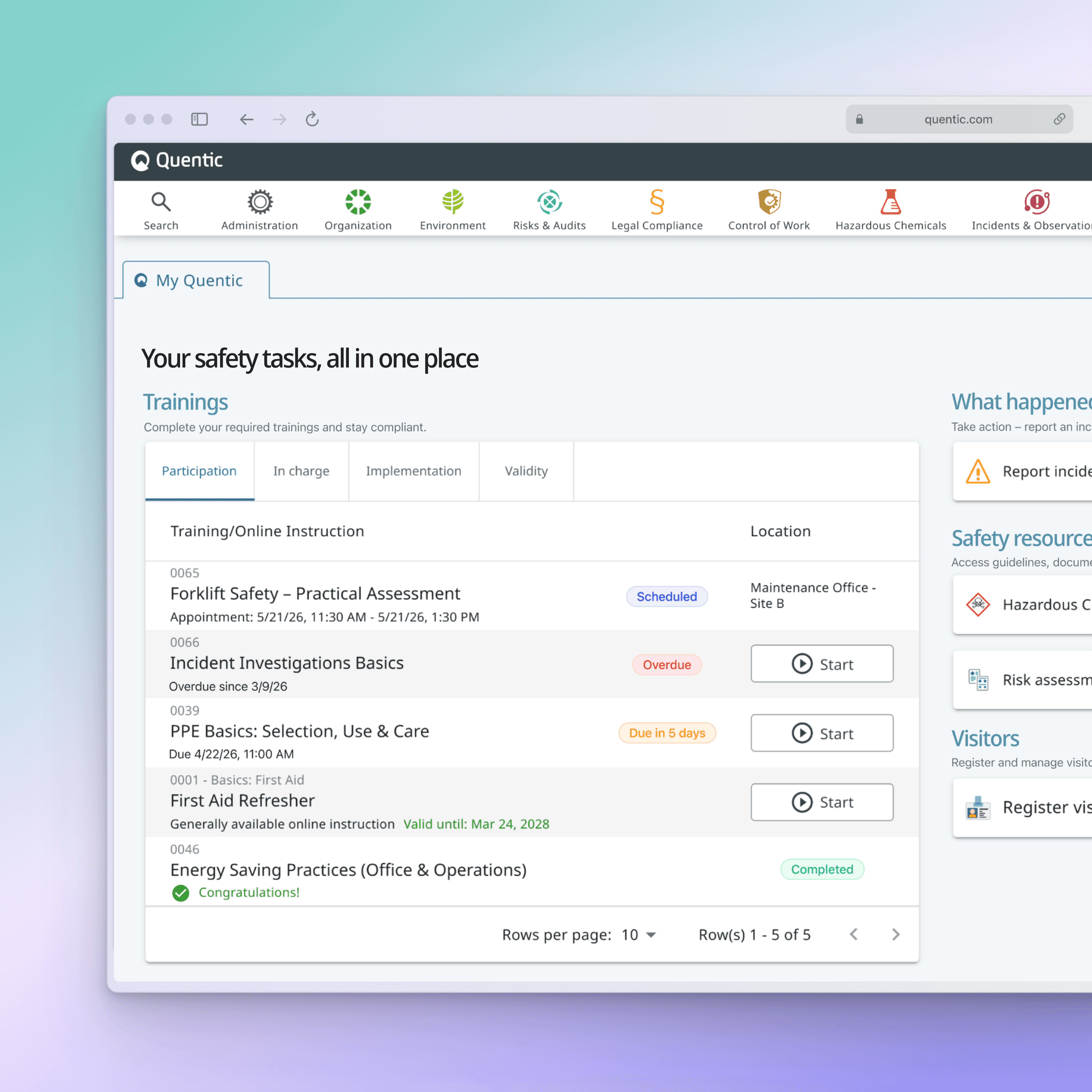
Quentic’s platform is complex — and without consistent language, that complexity quickly turns into confusion.

This project focused on defining how the product communicates: from buttons and dialogs to empty states and search interactions. The result is a UX writing style guide that brings clarity, consistency, and structure across features, teams, and languages.

Year

10.25

Scope

Branding, UI

CHALLENGE
Content was growing. Consistency wasn't.
As the product evolved, teams were solving similar communication problems in different ways. The result was inconsistent language, uneven experiences, and growing complexity for both users and contributors.
APPROACH
Turning writing decisions into reusable systems.
I translated content design principles into practical guidance, creating a framework that helps teams make consistent decisions across workflows, features, and touchpoints.
IMPROVEMENTS
From isolated content to connected experiences.
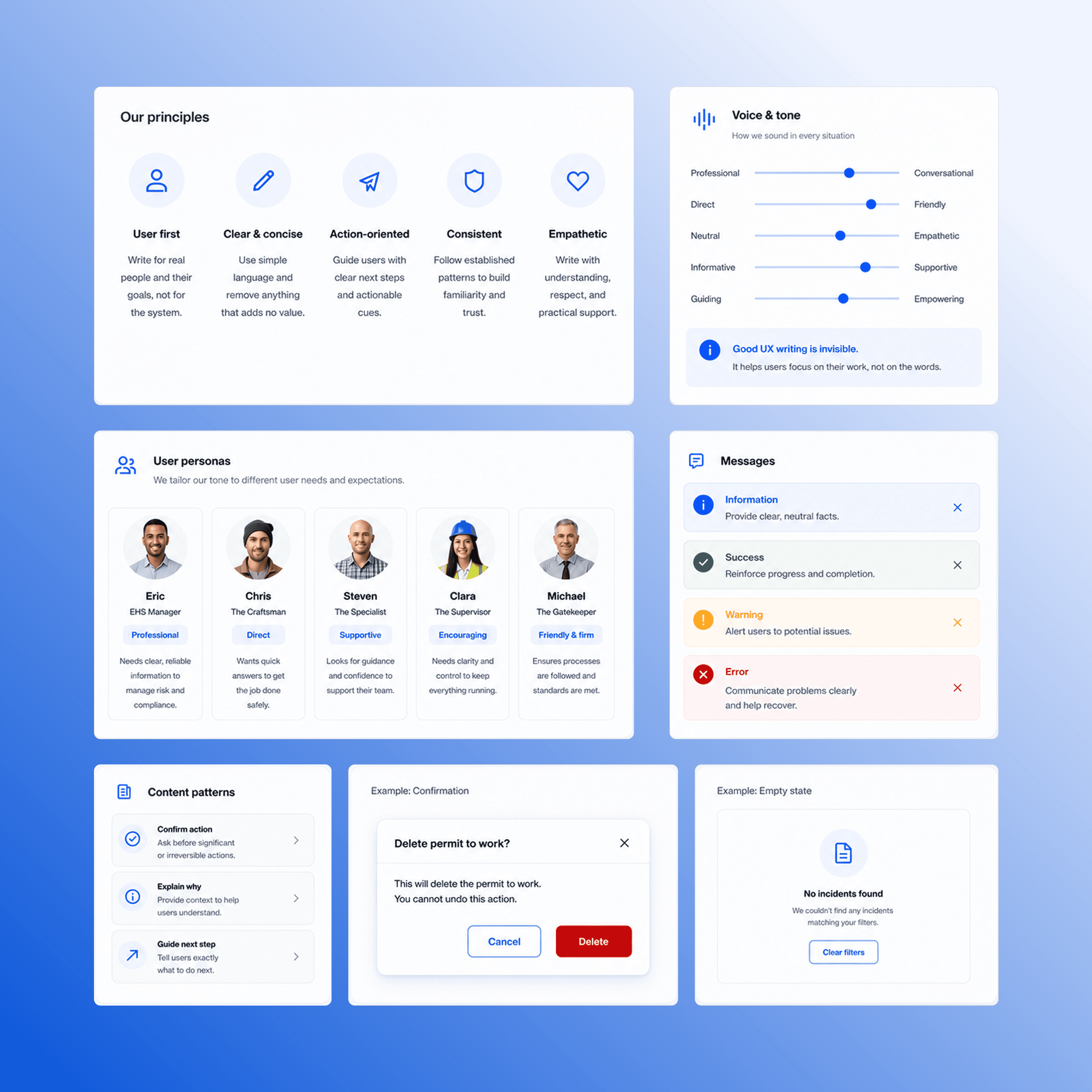
Shared foundations, voice guidance, UI patterns, and content standards created a more cohesive experience across the platform.
OUTCOME
A scalable foundation for product communication.
The system improved consistency, accelerated content decisions, and gave teams a shared language for designing clearer user experiences.
CHALLENGE
Content was growing. Consistency wasn't.
As the product evolved, teams were solving similar communication problems in different ways. The result was inconsistent language, uneven experiences, and growing complexity for both users and contributors.
APPROACH
Turning writing decisions into reusable systems.
I translated content design principles into practical guidance, creating a framework that helps teams make consistent decisions across workflows, features, and touchpoints.
IMPROVEMENTS
From isolated content to connected experiences.
Shared foundations, voice guidance, UI patterns, and content standards created a more cohesive experience across the platform.
OUTCOME
A scalable foundation for product communication.
The system improved consistency, accelerated content decisions, and gave teams a shared language for designing clearer user experiences.
CHALLENGE
Content was growing. Consistency wasn't.
As the product evolved, teams were solving similar communication problems in different ways. The result was inconsistent language, uneven experiences, and growing complexity for both users and contributors.
APPROACH
Turning writing decisions into reusable systems.
I translated content design principles into practical guidance, creating a framework that helps teams make consistent decisions across workflows, features, and touchpoints.
IMPROVEMENTS
From isolated content to connected experiences.
Shared foundations, voice guidance, UI patterns, and content standards created a more cohesive experience across the platform.
OUTCOME
A scalable foundation for product communication.
The system improved consistency, accelerated content decisions, and gave teams a shared language for designing clearer user experiences.

01_ FOUNDATION

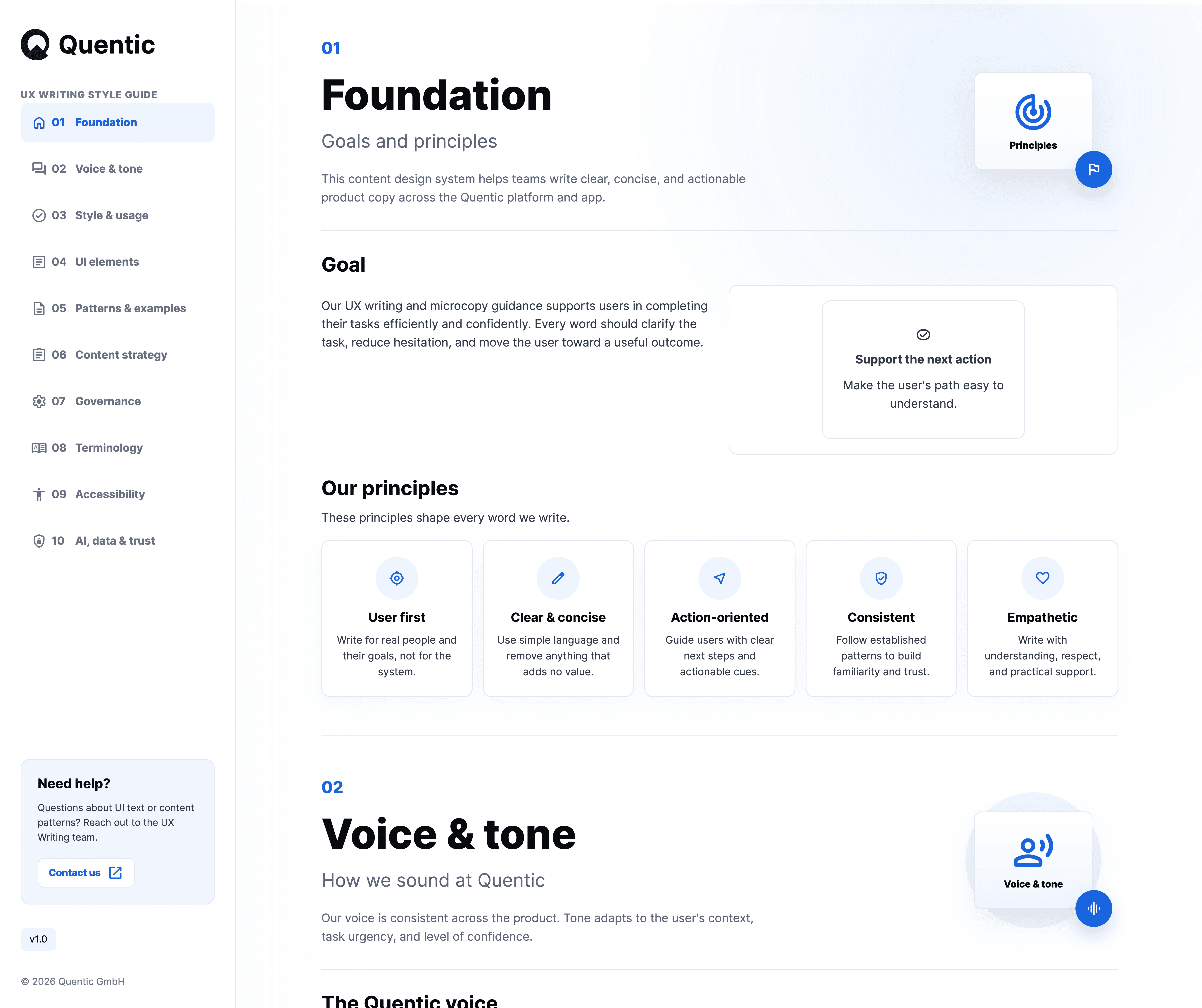
Establishing principles before patterns

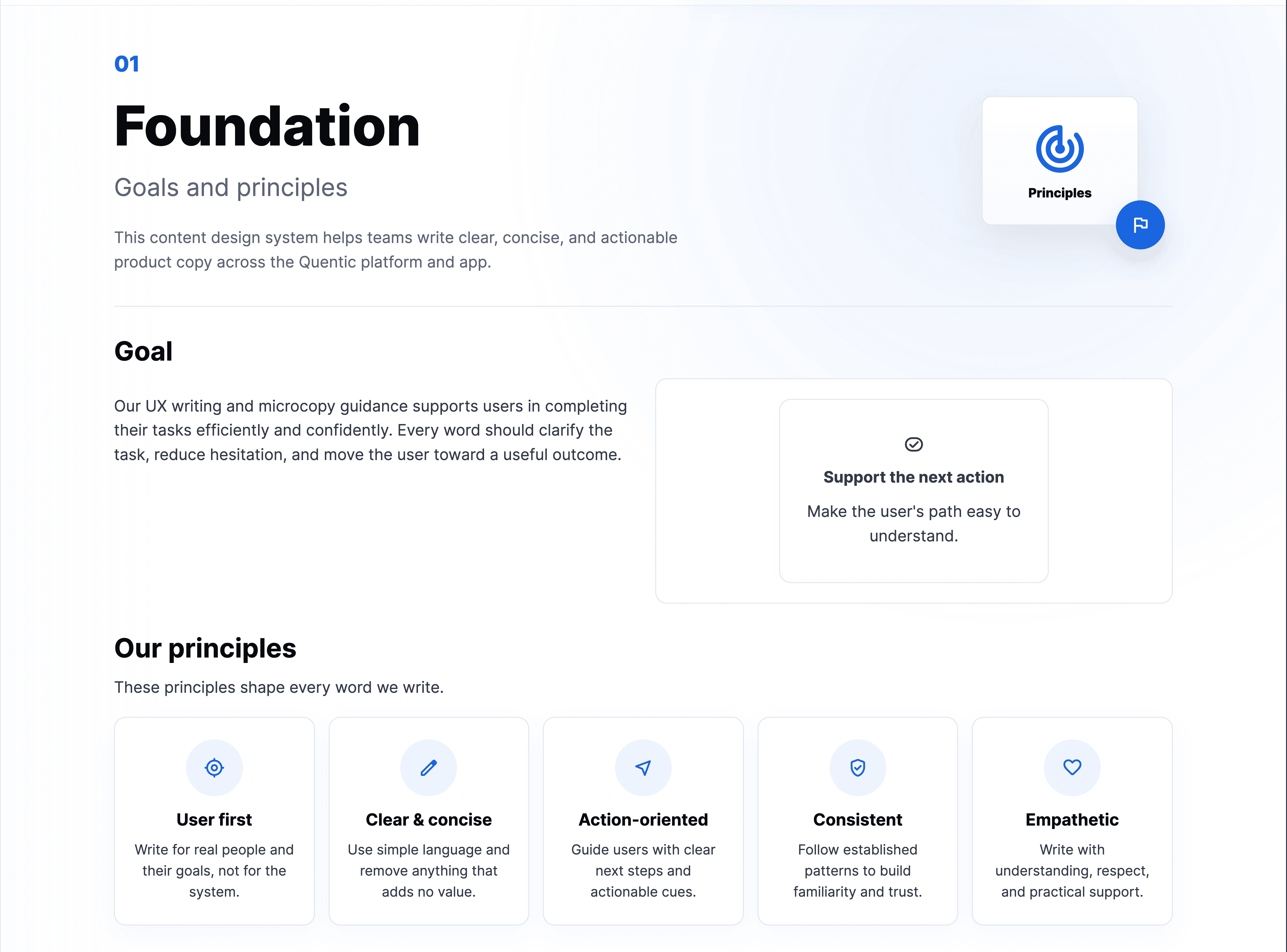
Before defining rules, I established a shared philosophy for how content should support users across the platform. Quentic's users work in highly regulated environments where clarity, accuracy, and efficiency are critical. The foundation of the system focused on helping teams create content that supports decision-making, reduces uncertainty, and keeps users moving through complex workflows with confidence. The resulting principles became the basis for every content decision—from button labels to feature-level messaging.

Defined the content design principles

Created the structure of the design system

Established decision-making criteria for UX writing

02_ VOICE & TONE

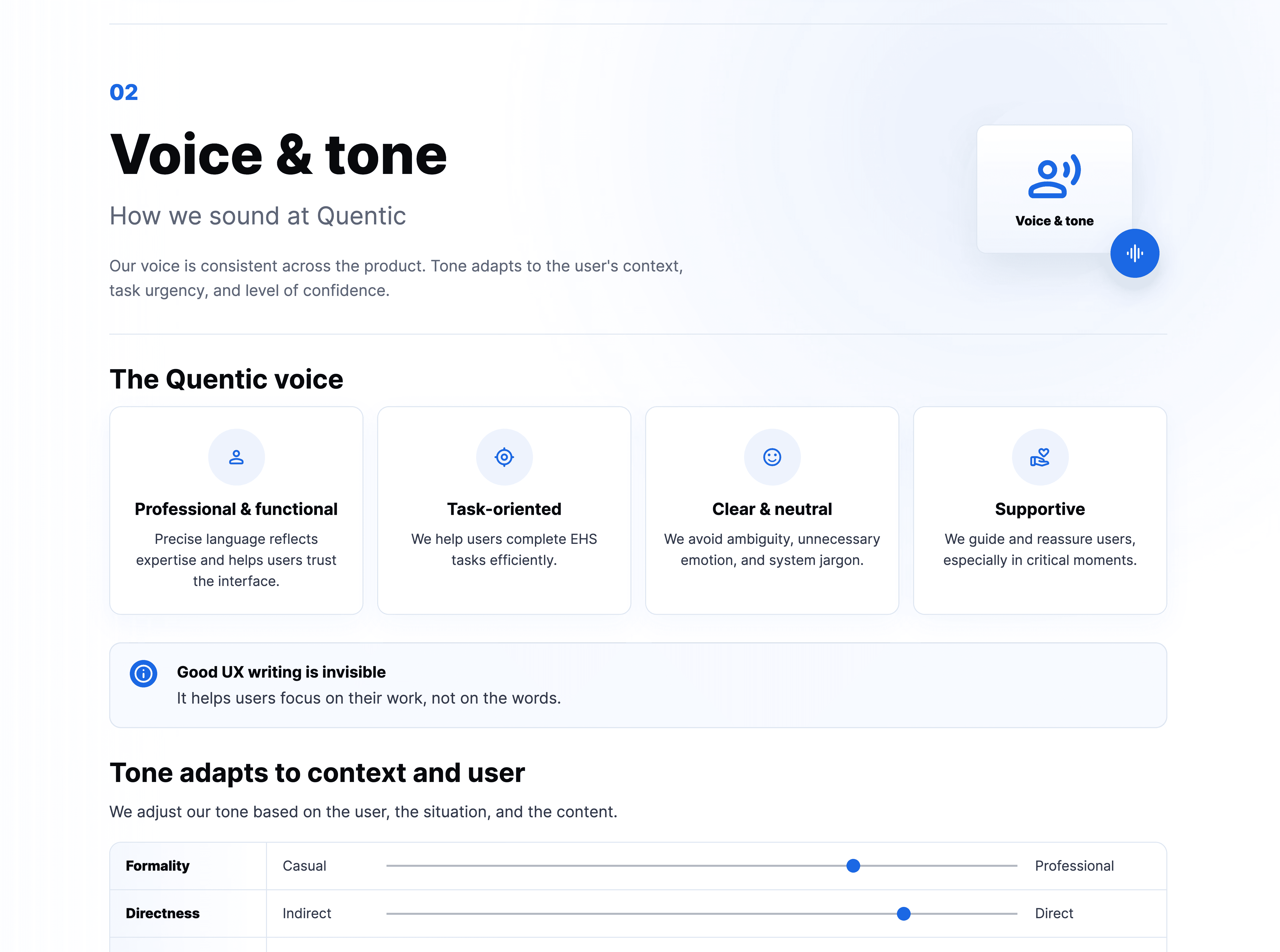
Creating a voice that works across every workflow

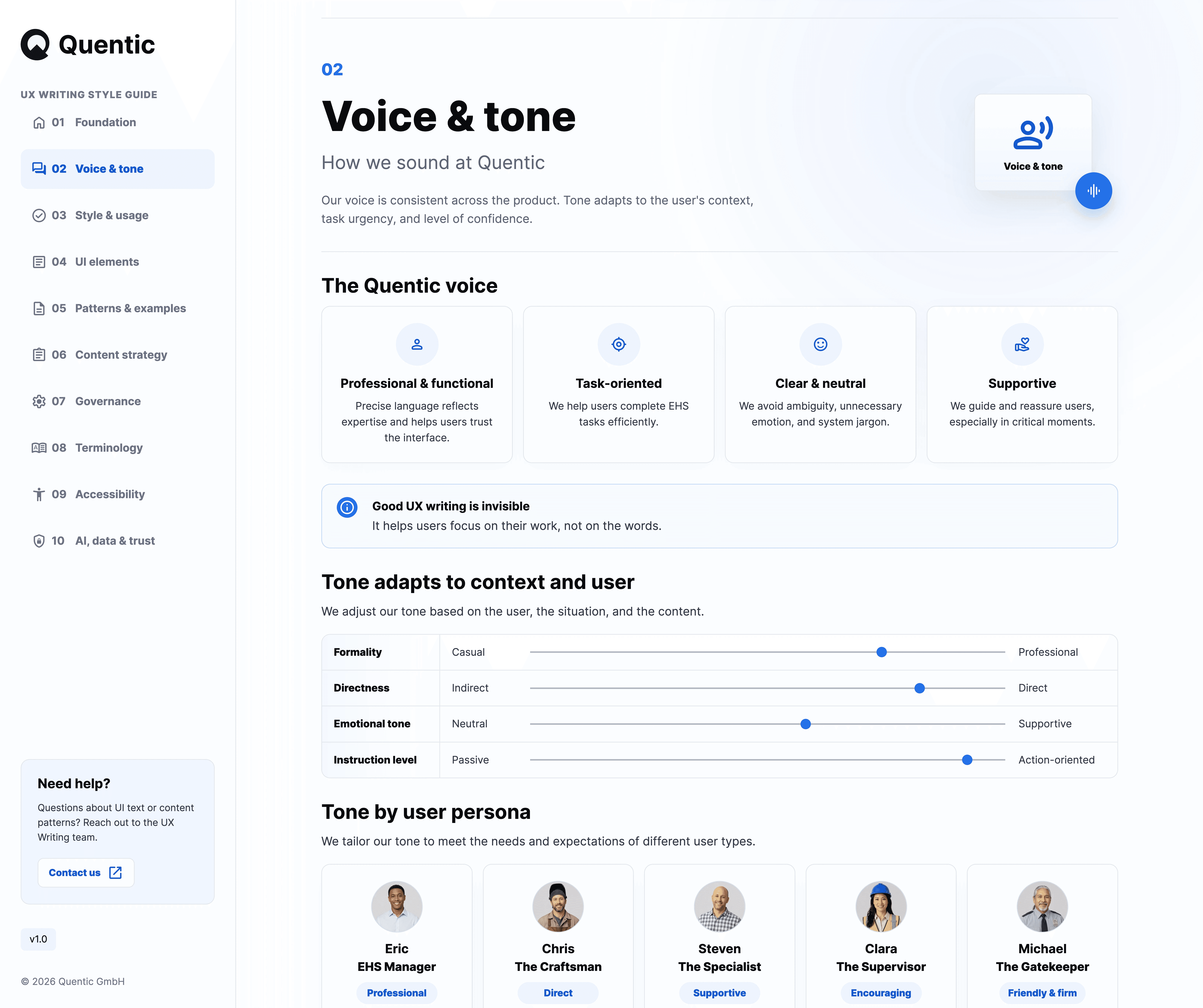
Quentic supports everyone from frontline workers to compliance managers. The platform needed a consistent voice while remaining flexible enough to adapt to different users, tasks, and levels of urgency. I developed a voice framework that balanced professionalism with clarity and guidance. Rather than prescribing a fixed tone, the system helps teams adjust communication based on context while remaining recognizably Quentic.

Defined voice attributes and tone framework

Developed persona-based communication guidance

Established standards for adapting tone across contexts

03_ UI ELEMENTS

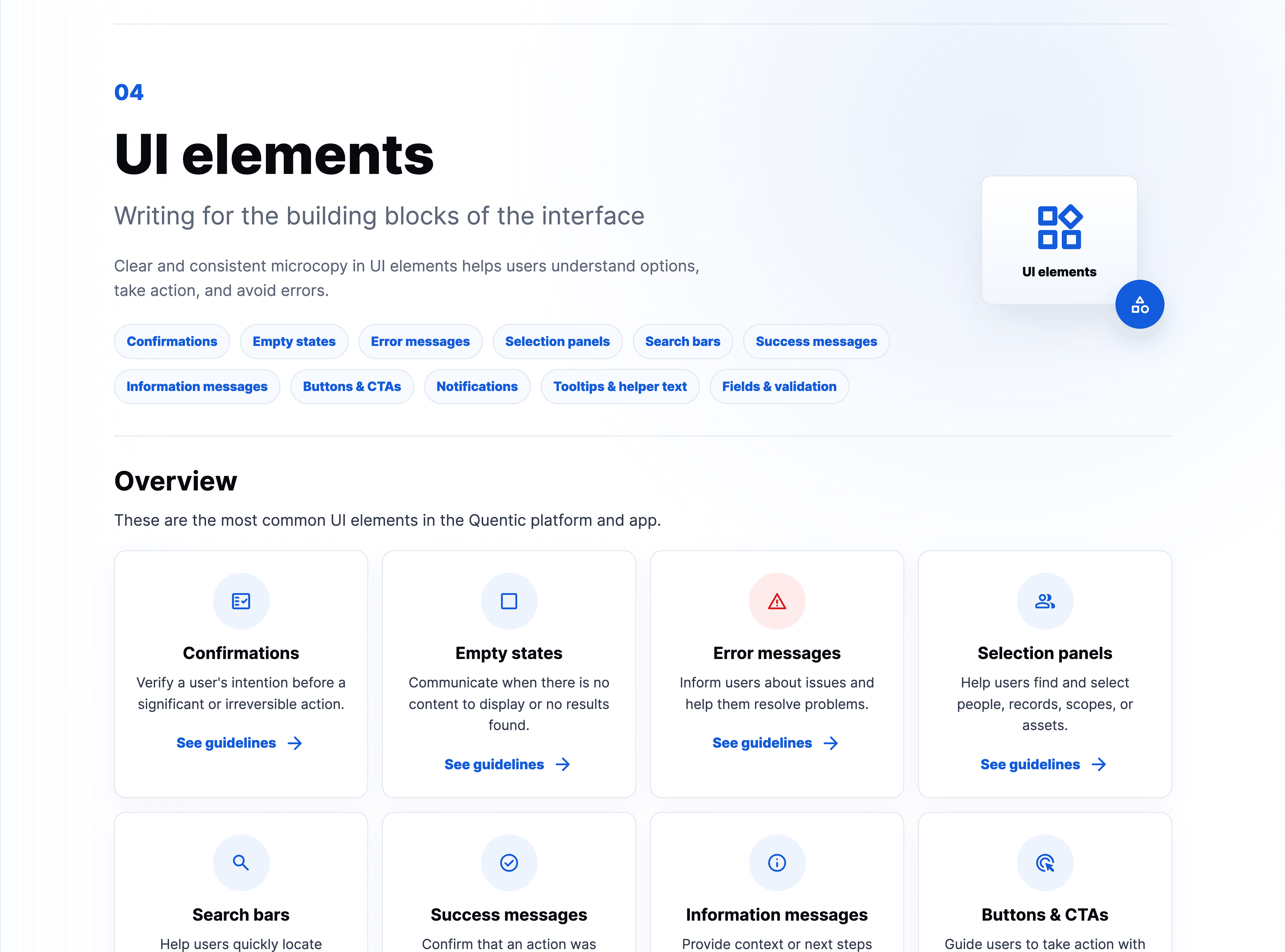
Turning content decisions into reusable patterns

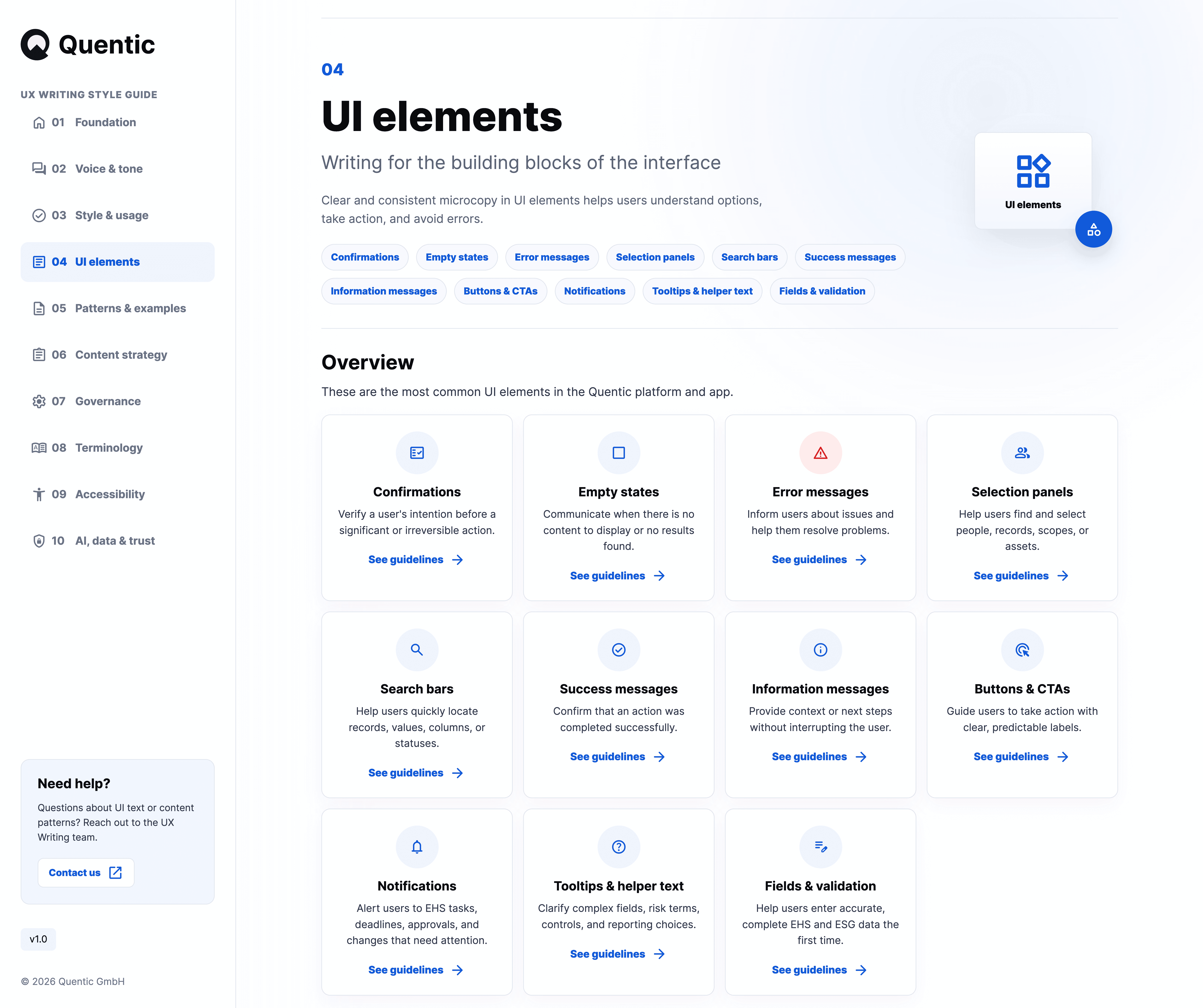
One of the biggest opportunities for consistency was within recurring interface components. Rather than treating each screen as a unique writing challenge, I created reusable guidance for the most common UI patterns used throughout the platform. Each pattern documents its purpose, writing principles, recommended structure, and examples from real product scenarios.

Audited existing UI patterns

Defined reusable writing frameworks

Created pattern-specific guidance

04_ UI ELEMENTS - CONFIRMATIONS

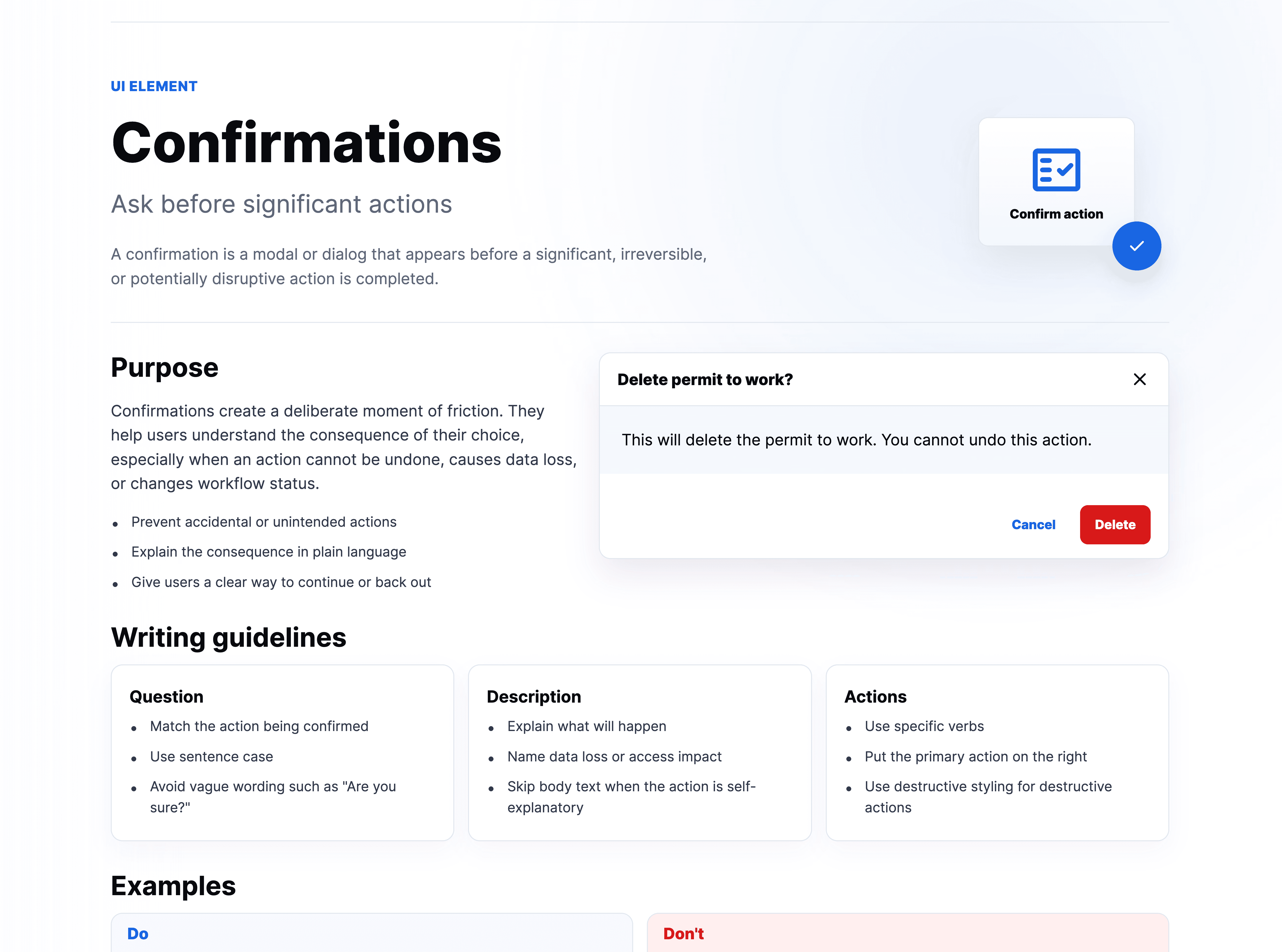
Designing moments of intentional friction

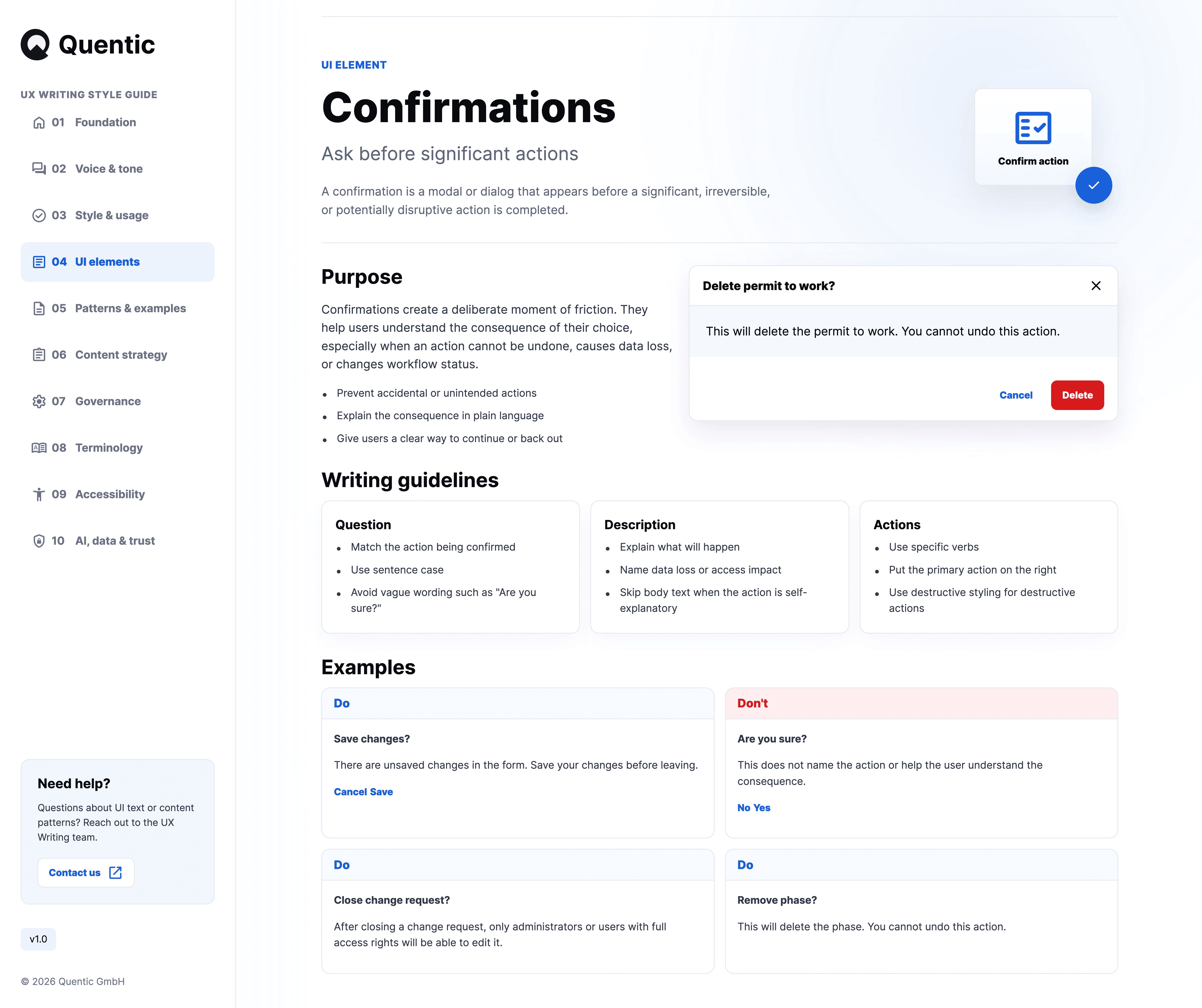
Confirmation dialogs often appear at critical moments in a workflow. Poorly written confirmations can create uncertainty, while overly aggressive prompts interrupt users unnecessarily. I developed a confirmation pattern that helps users understand consequences quickly and make informed decisions with confidence.

Defined confirmation dialog standards

Created reusable content structures

Developed do-and-don't examples