( _protected )

Behind the screens

Some details of this project are protected due to client confidentiality. Enter the password to view the full project.

( _protected )

Behind the screens

Some details of this project are protected due to client confidentiality. Enter the password to view the full project.

Reducing friction through in-product guidance

Reducing friction through in-product guidance

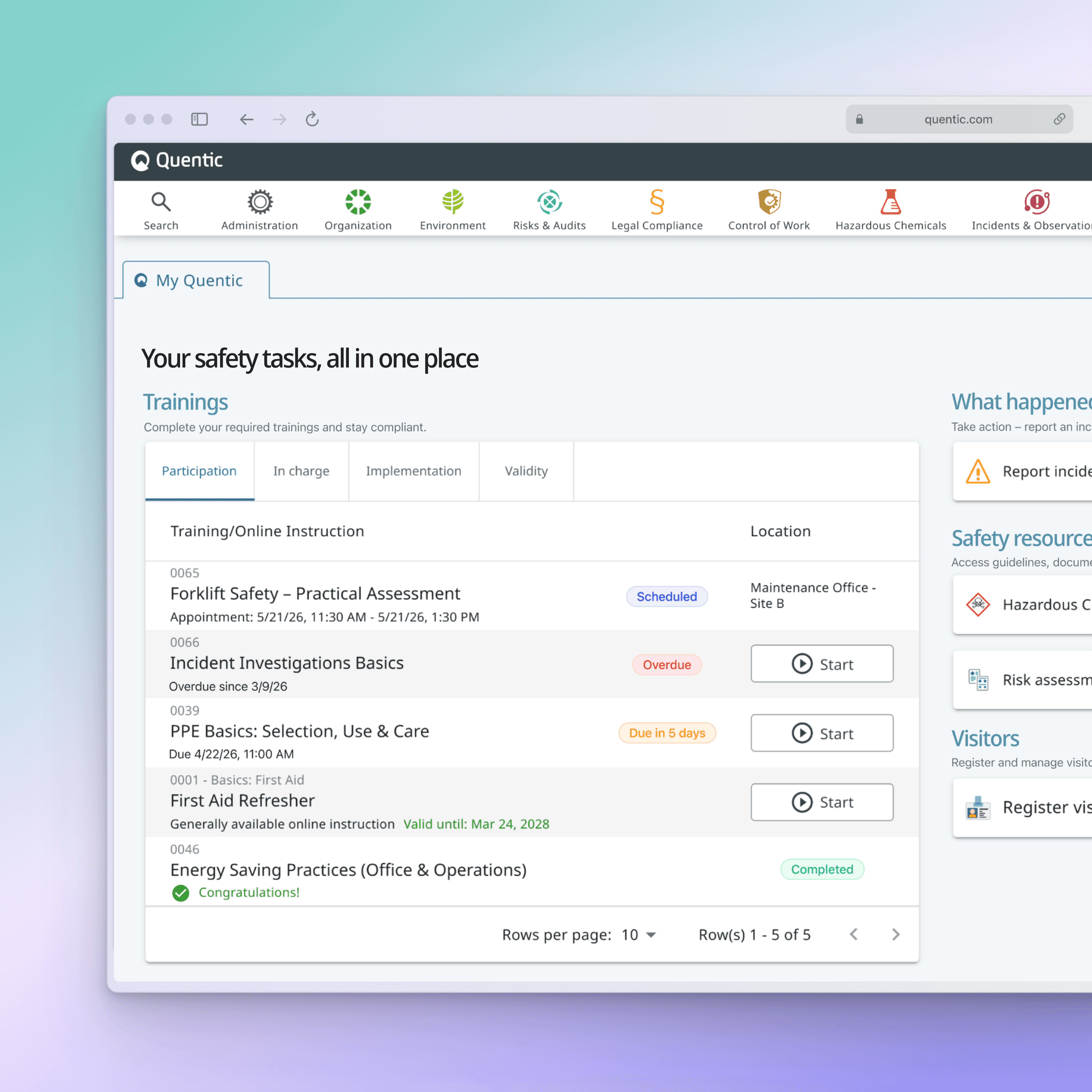
Quentic serves EHS professionals managing health, safety, and compliance. The mobile app supported critical safety workflows, but many users lacked the guidance needed to confidently learn features, complete tasks, and understand system feedback.


Year

2025

Scope

Content design, UX writing, User onboarding

CHALLENGE
Learning the app required too much guesswork.
New and infrequent users often encountered unfamiliar workflows without enough context, guidance, or feedback to confidently complete their tasks.
APPROACH
Guidance built into the experience.
Rather than relying on documentation or training, I embedded support directly into key workflows through onboarding, tutorials, instructional content, and clearer system messaging.
IMPROVEMENTS
Guidance where users need it most.
Onboarding, tutorials, sign-in flows, and confirmation dialogs were redesigned to help users understand their options, avoid mistakes, and move through tasks with confidence.
OUTCOME
A more self-explanatory product.
By embedding guidance directly into workflows, users could learn the product naturally, complete tasks with confidence, and rely less on external support.
CHALLENGE
Learning the app required too much guesswork.
New and infrequent users often encountered unfamiliar workflows without enough context, guidance, or feedback to confidently complete their tasks.
APPROACH
Guidance built into the experience.
Rather than relying on documentation or training, I embedded support directly into key workflows through onboarding, tutorials, instructional content, and clearer system messaging.
IMPROVEMENTS
Guidance where users need it most.
Onboarding, tutorials, sign-in flows, and confirmation dialogs were redesigned to help users understand their options, avoid mistakes, and move through tasks with confidence.
OUTCOME
A more self-explanatory product.
By embedding guidance directly into workflows, users could learn the product naturally, complete tasks with confidence, and rely less on external support.
CHALLENGE
Learning the app required too much guesswork.
New and infrequent users often encountered unfamiliar workflows without enough context, guidance, or feedback to confidently complete their tasks.
APPROACH
Guidance built into the experience.
Rather than relying on documentation or training, I embedded support directly into key workflows through onboarding, tutorials, instructional content, and clearer system messaging.
IMPROVEMENTS
Guidance where users need it most.
Onboarding, tutorials, sign-in flows, and confirmation dialogs were redesigned to help users understand their options, avoid mistakes, and move through tasks with confidence.
OUTCOME
A more self-explanatory product.
By embedding guidance directly into workflows, users could learn the product naturally, complete tasks with confidence, and rely less on external support.

01_ Onboarding

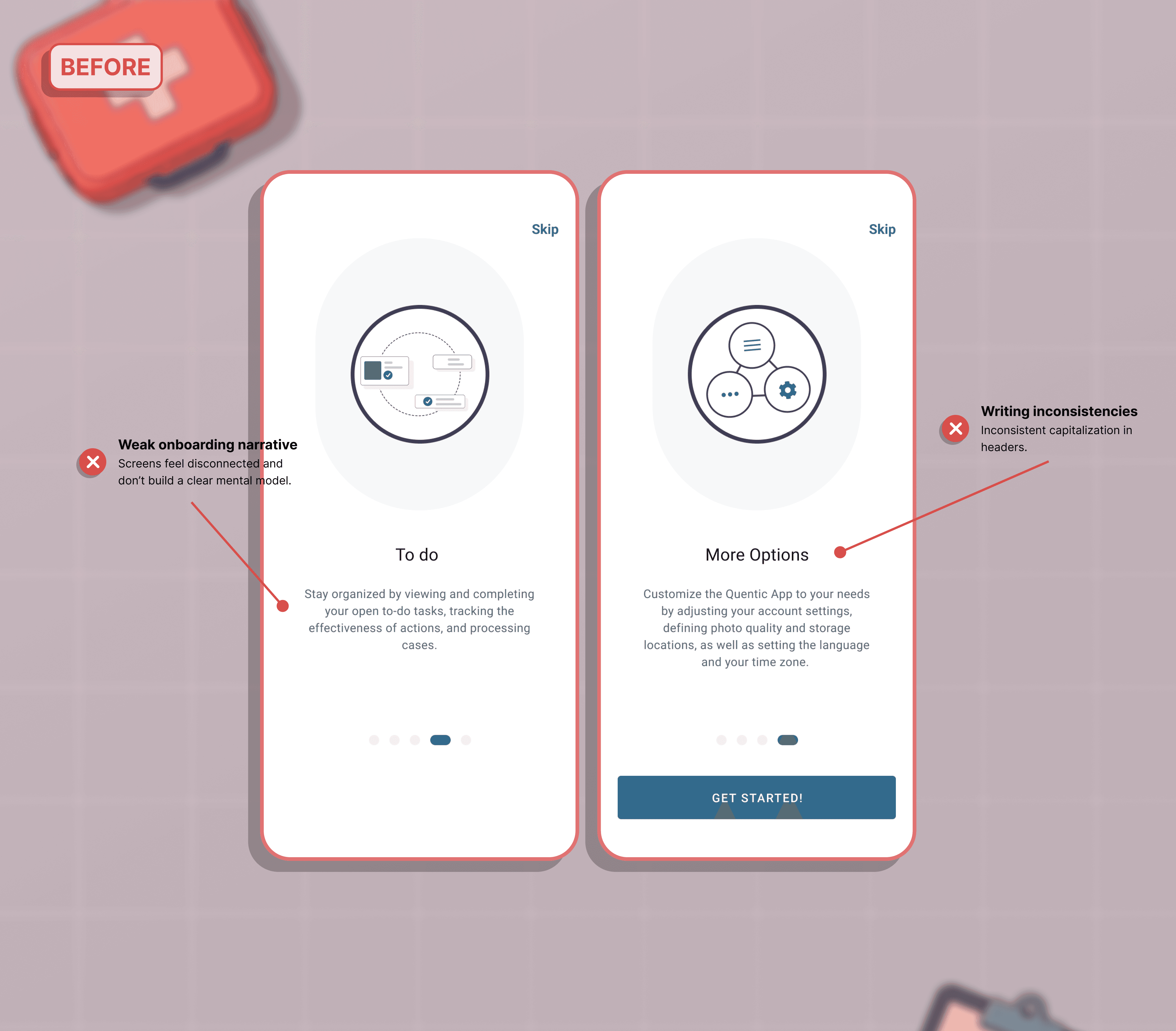
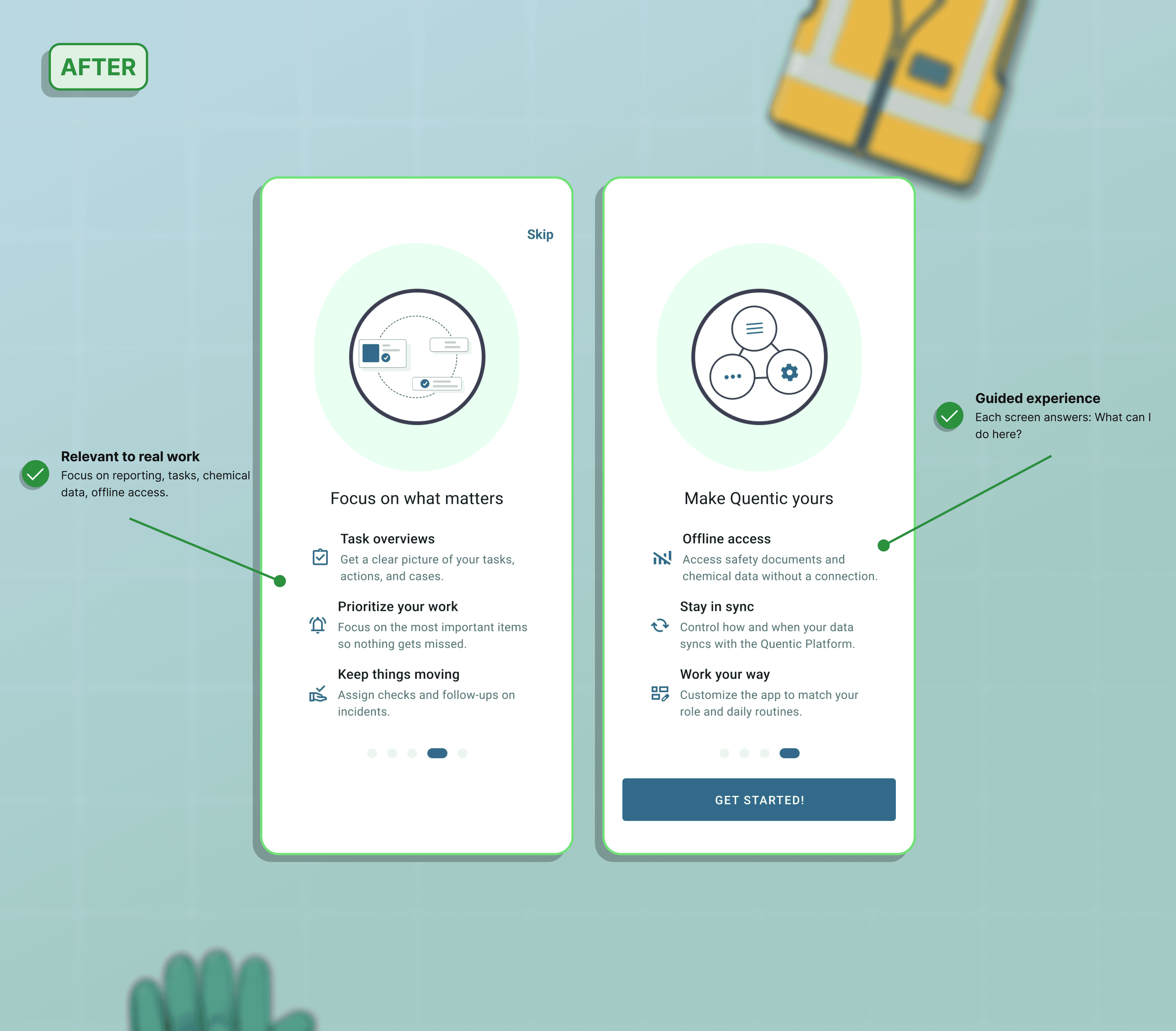
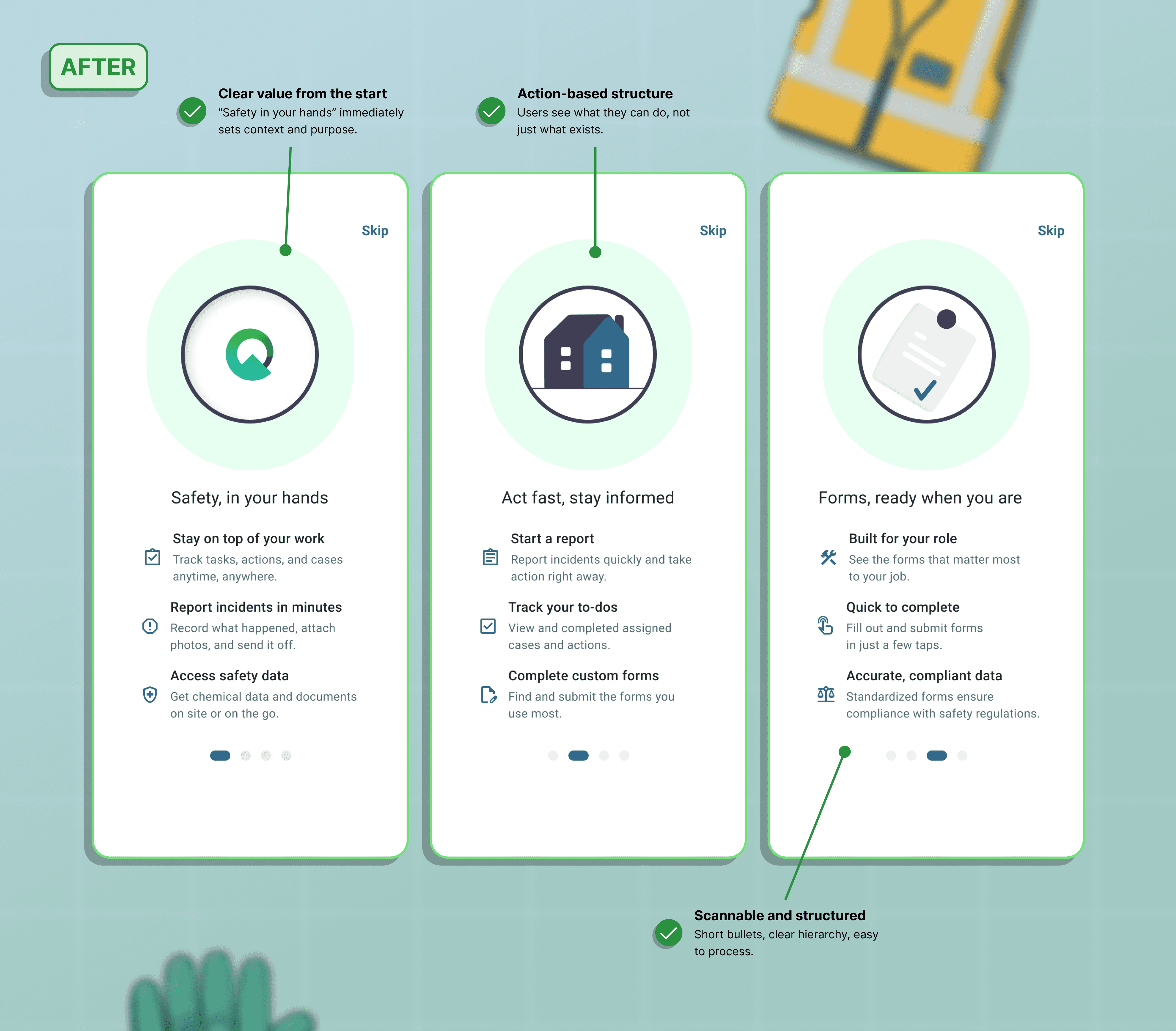
From “What is this?” to “Let’s get started.”

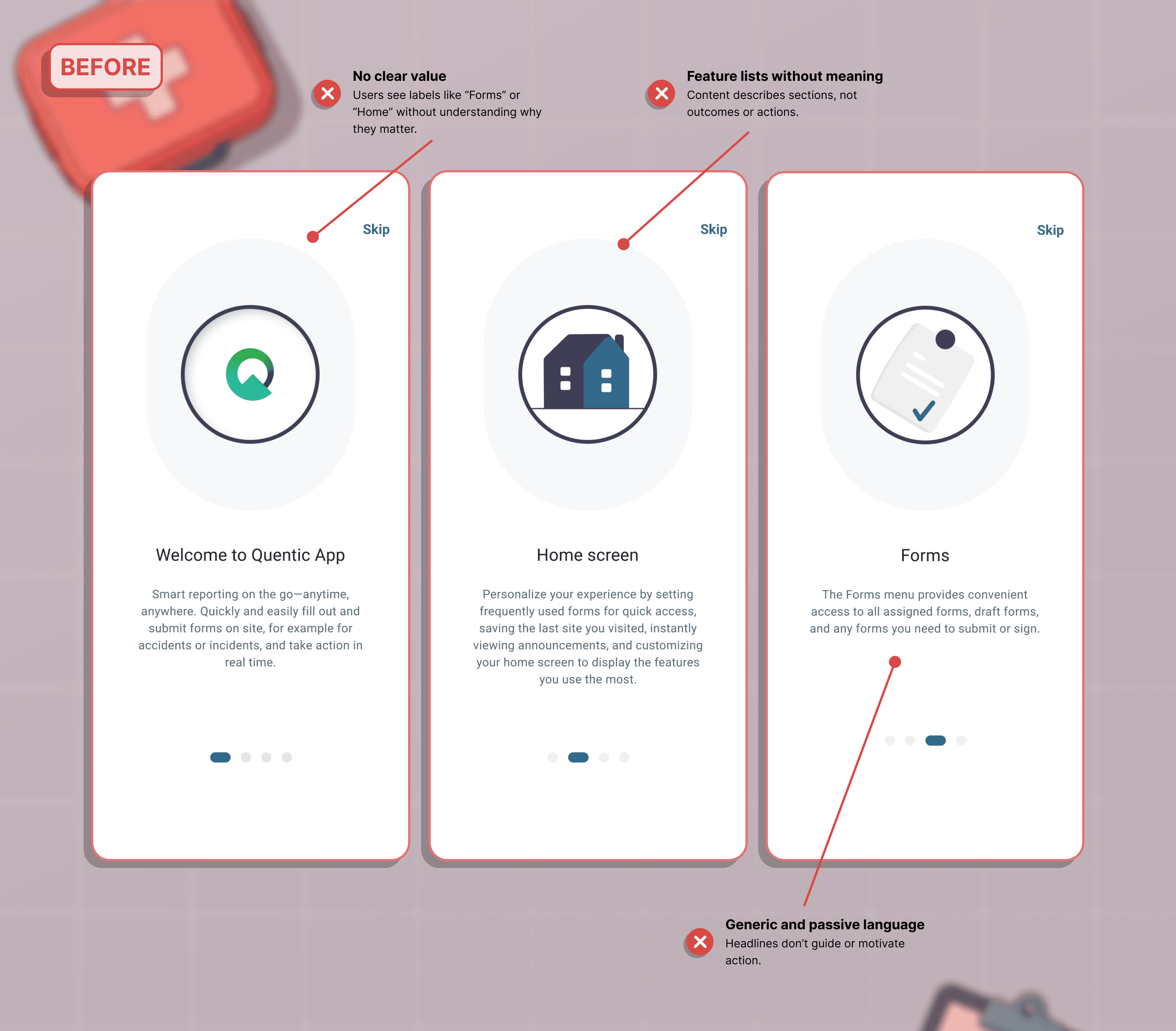
Redesigned onboarding to explain value, set expectations, and help users understand what they could accomplish before entering the product.

Simpler structure, one idea per screen

Clear value and next steps

Confident start, faster understanding

Slide 1
Slide 2
Slide 1
Slide 2

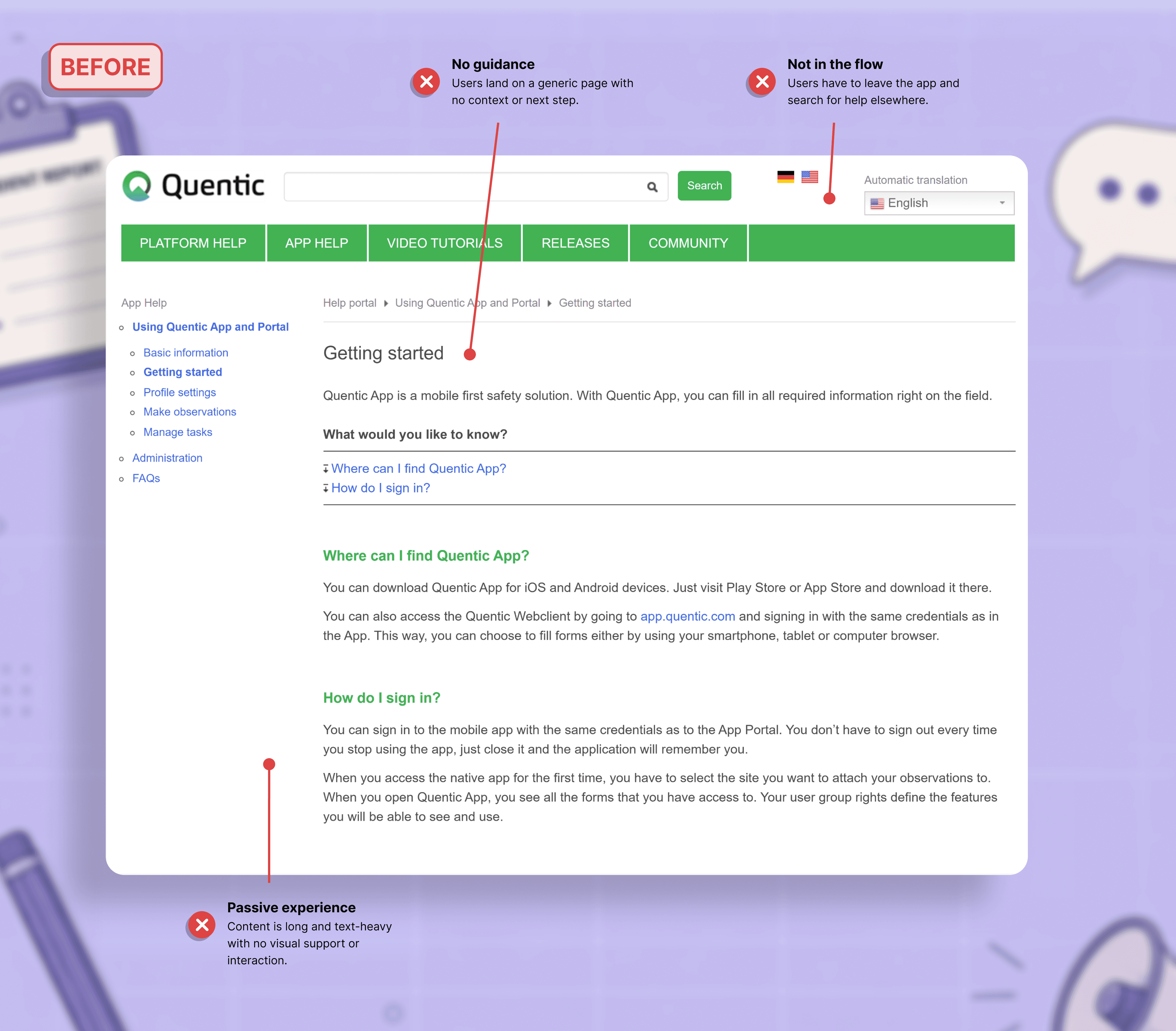
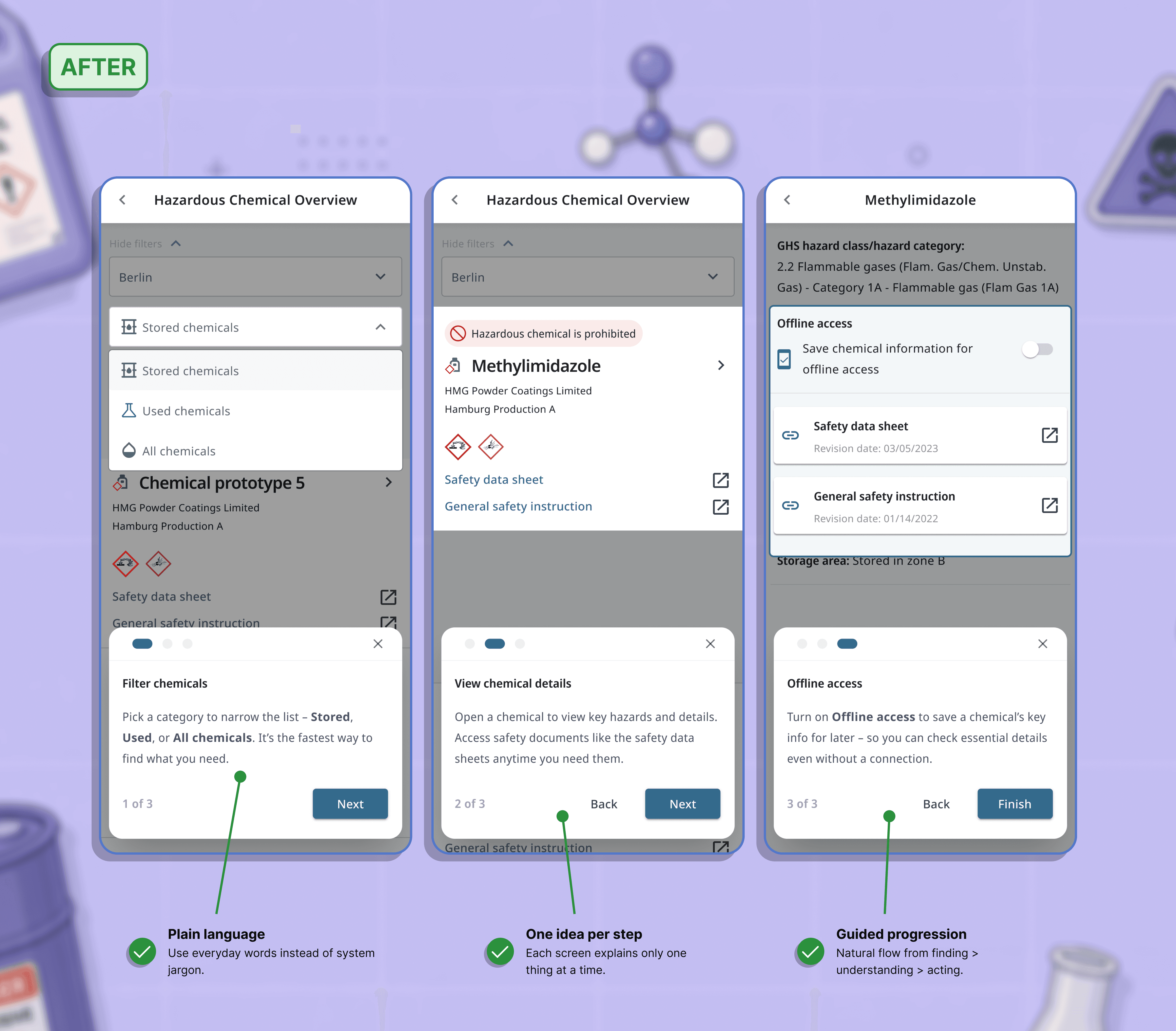
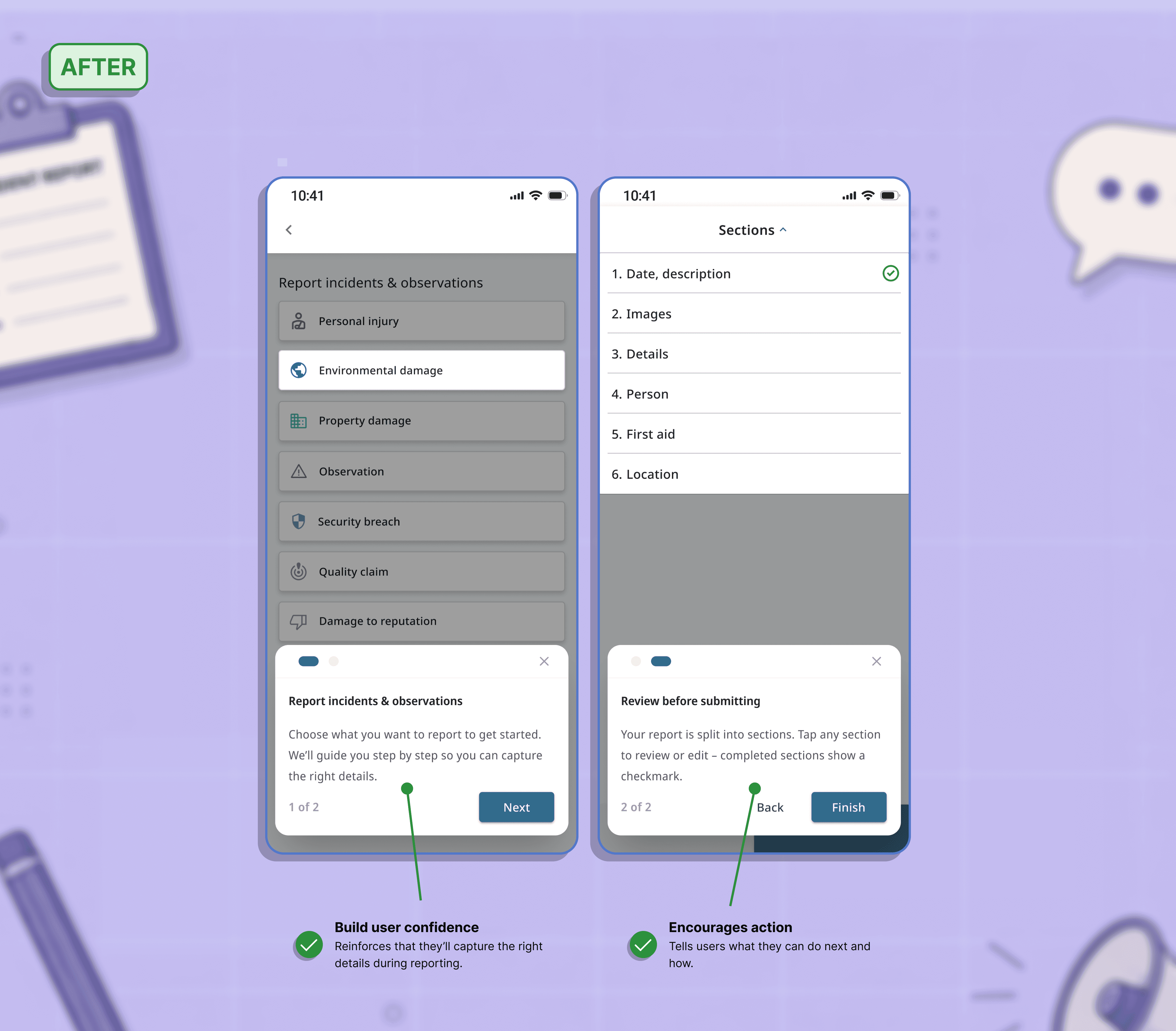
02_ In-app tutorials

Learning by doing, not by searching.

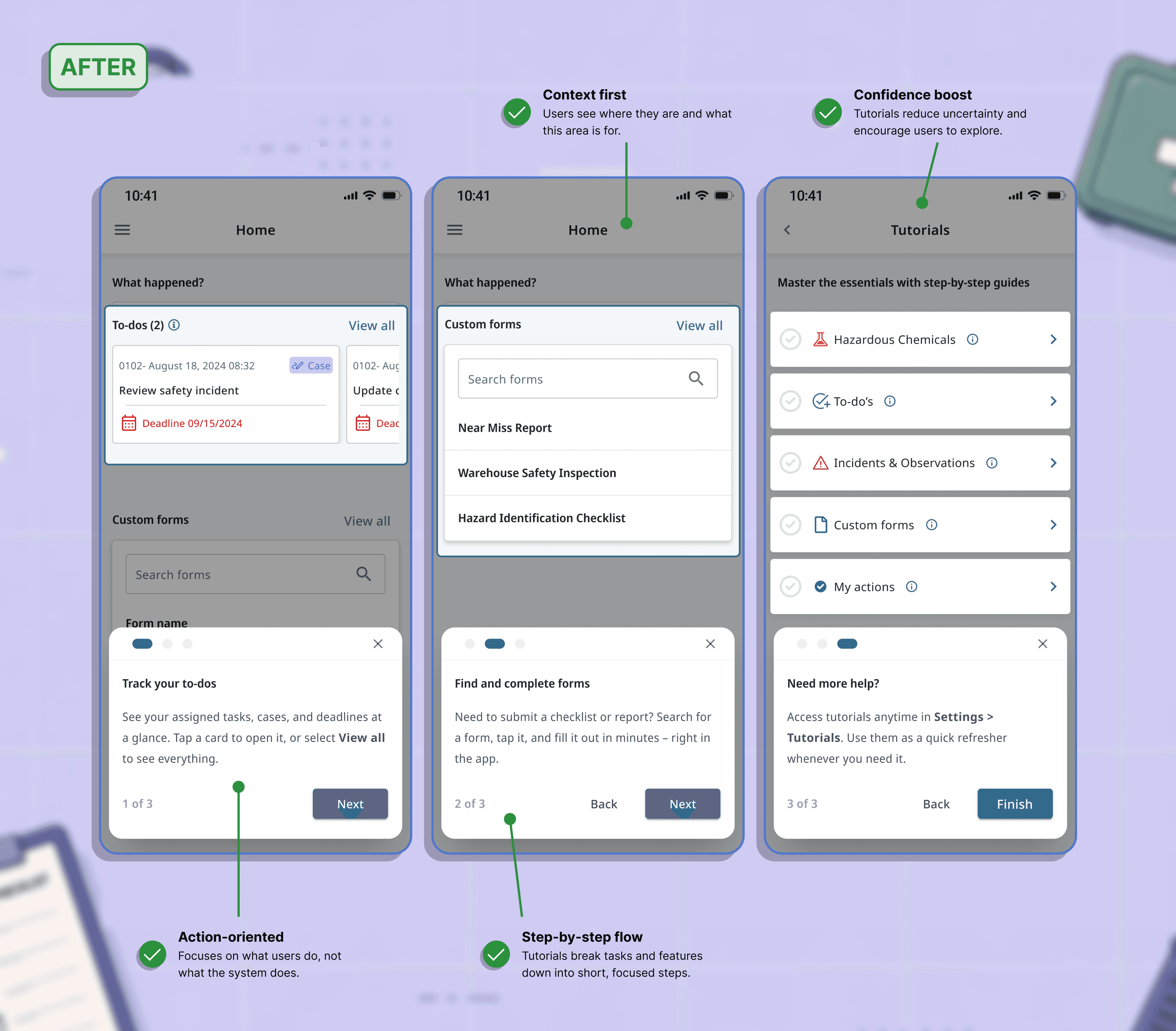
Created contextual, step-by-step tutorials that guide users through tasks and features in the moment.

Embedded guidance within workflows

Short, focused steps with clear actions

Reduced friction and support dependency

Slide 1
Slide 1
Slide 2
Slide 3

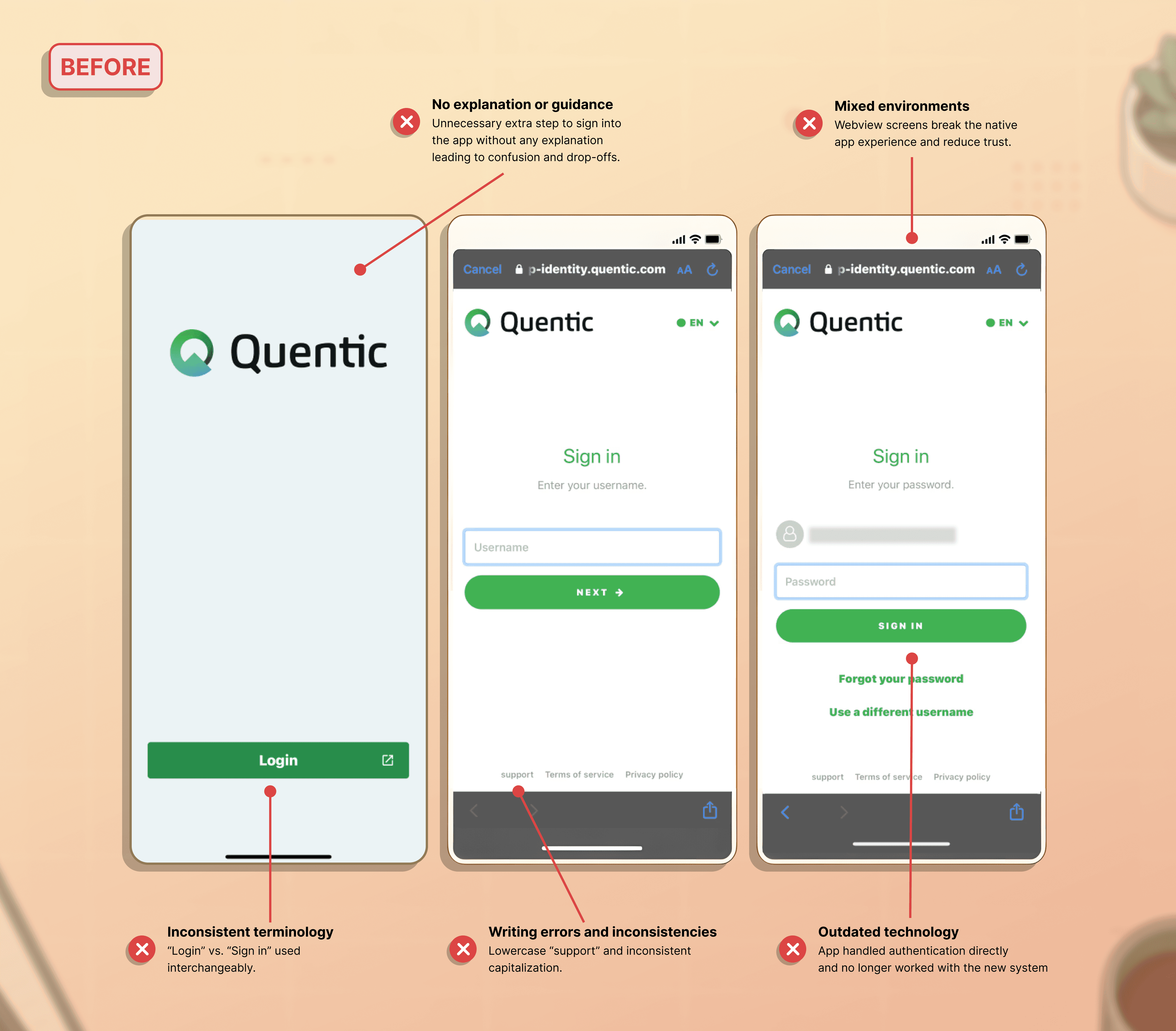
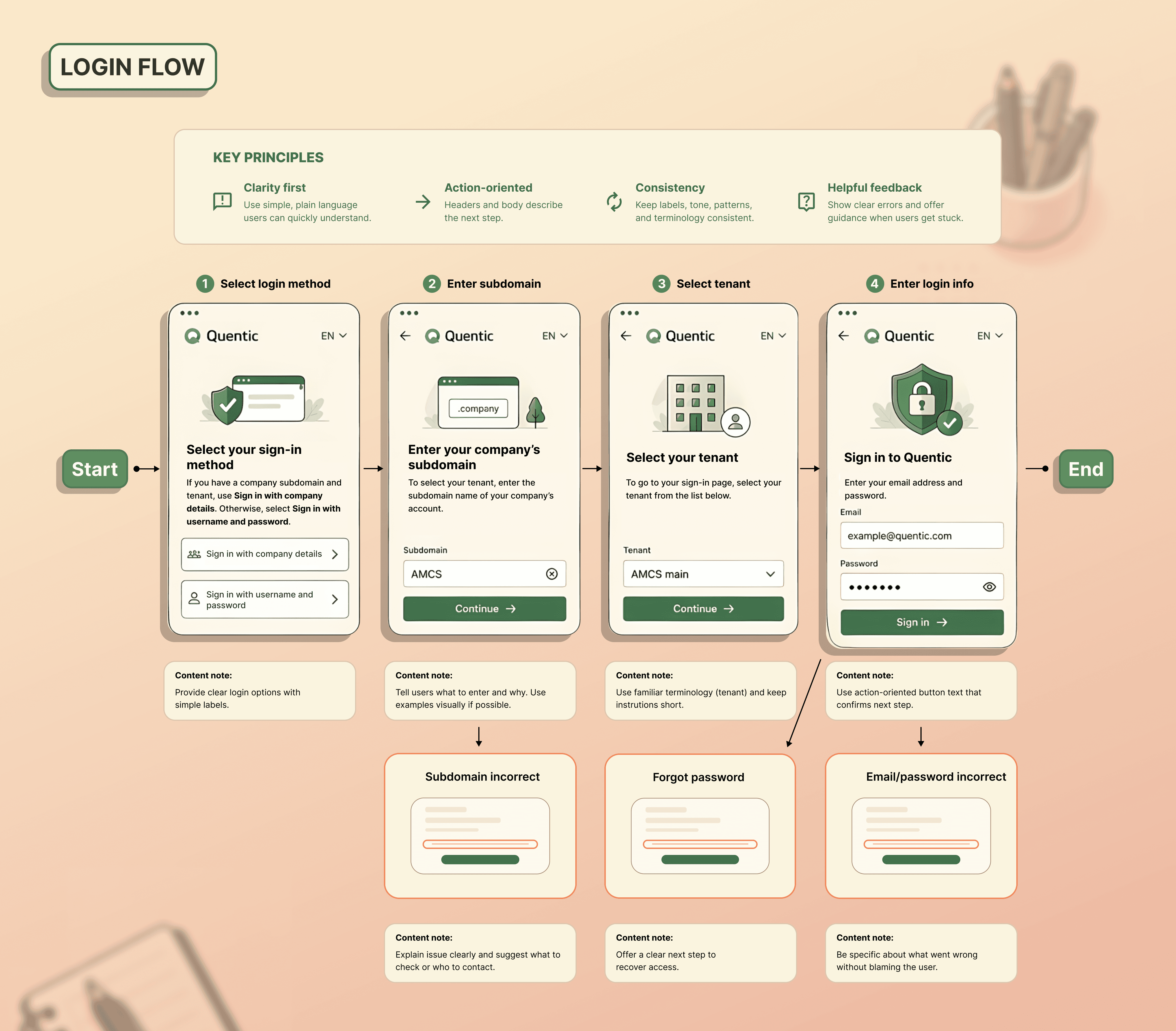
03_ Sign-in flow

Making access feel effortless

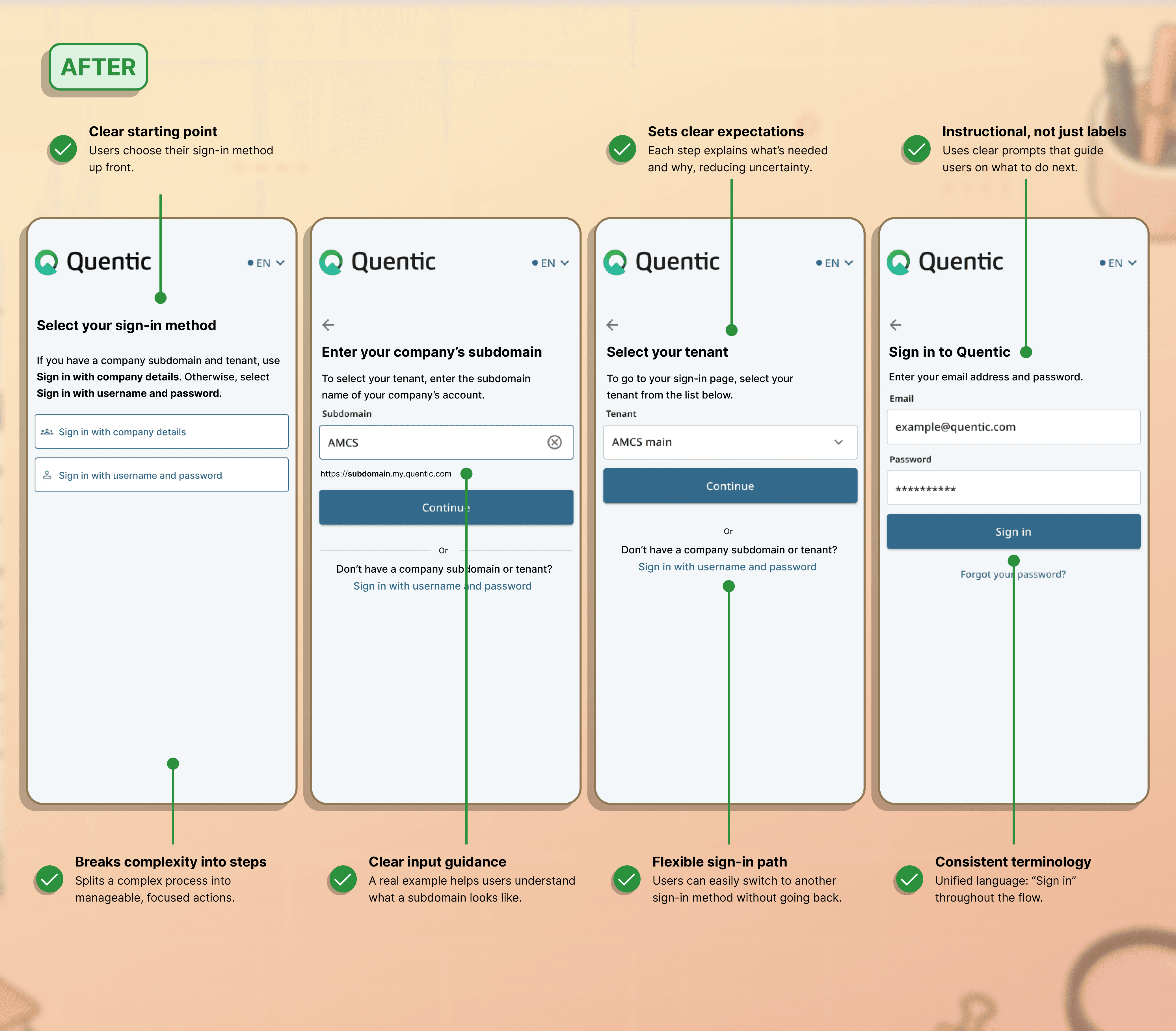
Reworked the sign-in journey to reduce uncertainty, clarify next steps, and help users recover when credentials, invitations, or account details weren't immediately available.

Clear fields, clearer instructions

Consistent language and error handling

Smoother access, fewer login errors

Slide 1
Slide 1
Slide 2

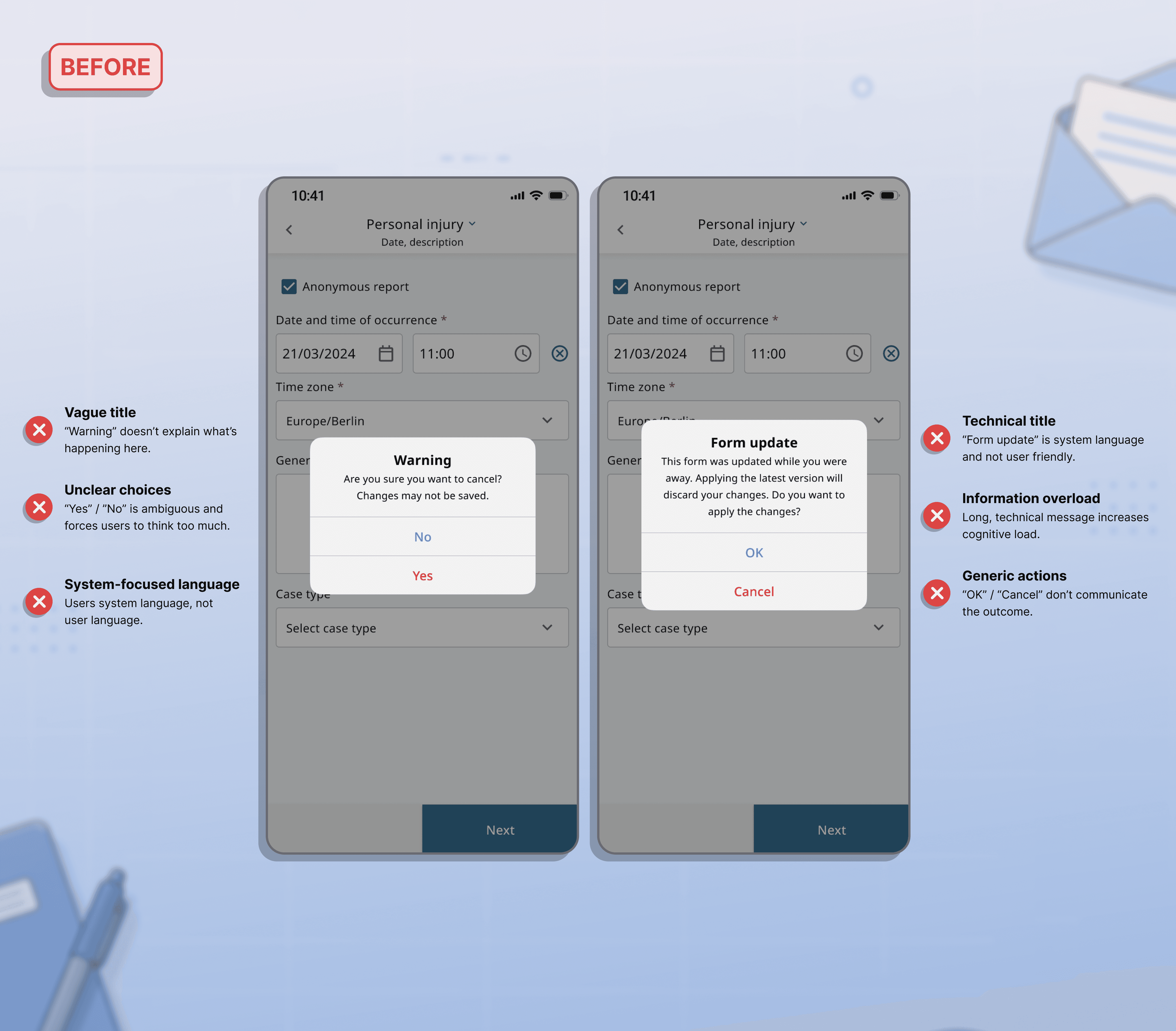
04_ Confirmations

Clear choices. Confident decisions.

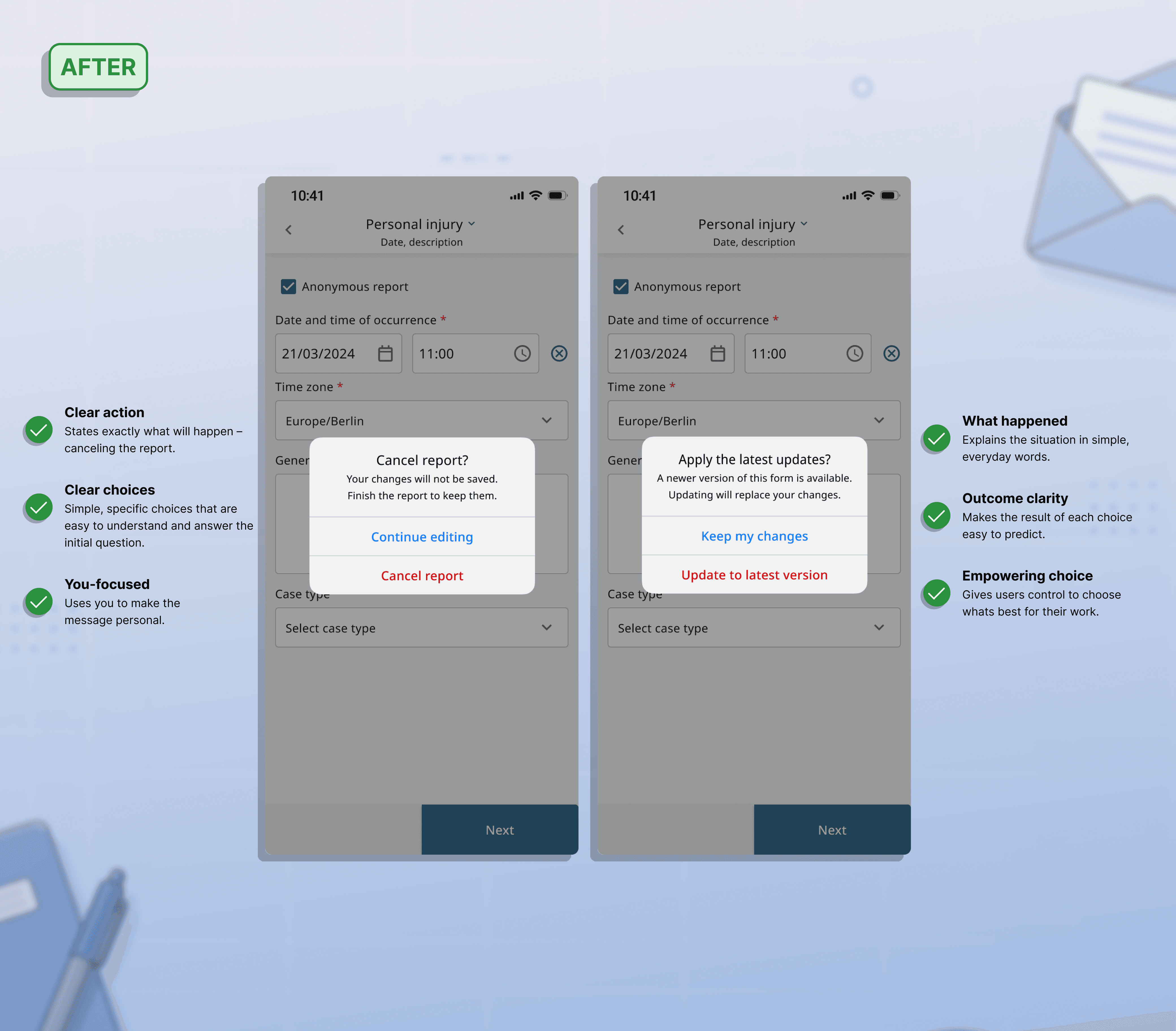
Rewrote confirmation messages to clearly explain what's happening, what each choice means, and the outcome.

User-focused, plain language

Clear impact of each action

Faster decisions, fewer mistakes
Slide 1
Slide 1