Making enterprise safety software easier to use

Making enterprise safety software easier to use

Quentic is an EHS platform that helps organizations manage audits, incidents, training, permits, and risk assessments.

The platform was powerful, but many everyday users struggled to understand where to start, what actions to take, and what the system was telling them.

My role was to make the experience clearer, calmer, and easier to act on through content design, UX writing, and interface guidance.

Year

2023-2026

Scope

Content design, UX writing, System messaging

CHALLENGE
Powerful software, difficult to navigate.
The platform contained everything users needed to do their jobs—but finding the right information, understanding system feedback, and knowing what to do next often required unnecessary effort.
APPROACH
Designing for clarity at every step.
I reviewed key user journeys and redesigned the language, hierarchy, and guidance patterns that shape how users navigate, understand system status, and complete tasks with confidence.
IMPROVEMENTS
Clearer navigation, guidance, and feedback.
The experience was simplified through improved information hierarchy, action-oriented content, more helpful empty states, and clearer communication around system status and syncing.
OUTCOME
A more intuitive product experience.
Users can find what they need faster, understand what the system is doing, and move through complex workflows with less friction and greater confidence.
CHALLENGE
Powerful software, difficult to navigate.
The platform contained everything users needed to do their jobs—but finding the right information, understanding system feedback, and knowing what to do next often required unnecessary effort.
APPROACH
Designing for clarity at every step.
I reviewed key user journeys and redesigned the language, hierarchy, and guidance patterns that shape how users navigate, understand system status, and complete tasks with confidence.
IMPROVEMENTS
Clearer navigation, guidance, and feedback.
The experience was simplified through improved information hierarchy, action-oriented content, more helpful empty states, and clearer communication around system status and syncing.
OUTCOME
A more intuitive product experience.
Users can find what they need faster, understand what the system is doing, and move through complex workflows with less friction and greater confidence.
CHALLENGE
Powerful software, difficult to navigate.
The platform contained everything users needed to do their jobs—but finding the right information, understanding system feedback, and knowing what to do next often required unnecessary effort.
APPROACH
Designing for clarity at every step.
I reviewed key user journeys and redesigned the language, hierarchy, and guidance patterns that shape how users navigate, understand system status, and complete tasks with confidence.
IMPROVEMENTS
Clearer navigation, guidance, and feedback.
The experience was simplified through improved information hierarchy, action-oriented content, more helpful empty states, and clearer communication around system status and syncing.
OUTCOME
A more intuitive product experience.
Users can find what they need faster, understand what the system is doing, and move through complex workflows with less friction and greater confidence.

01_ START PAGE REDESIGN

From dashboard overload to focused action

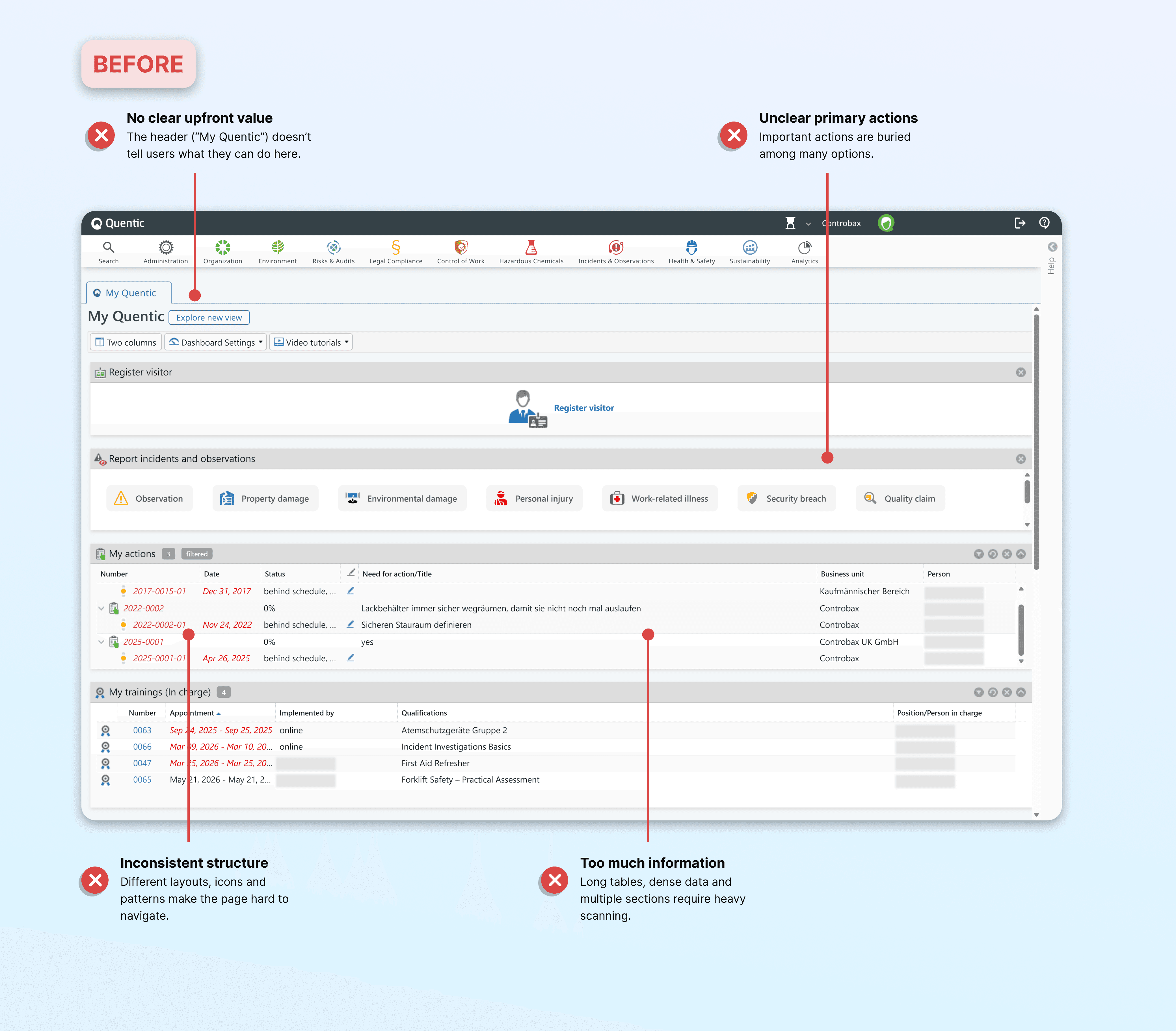
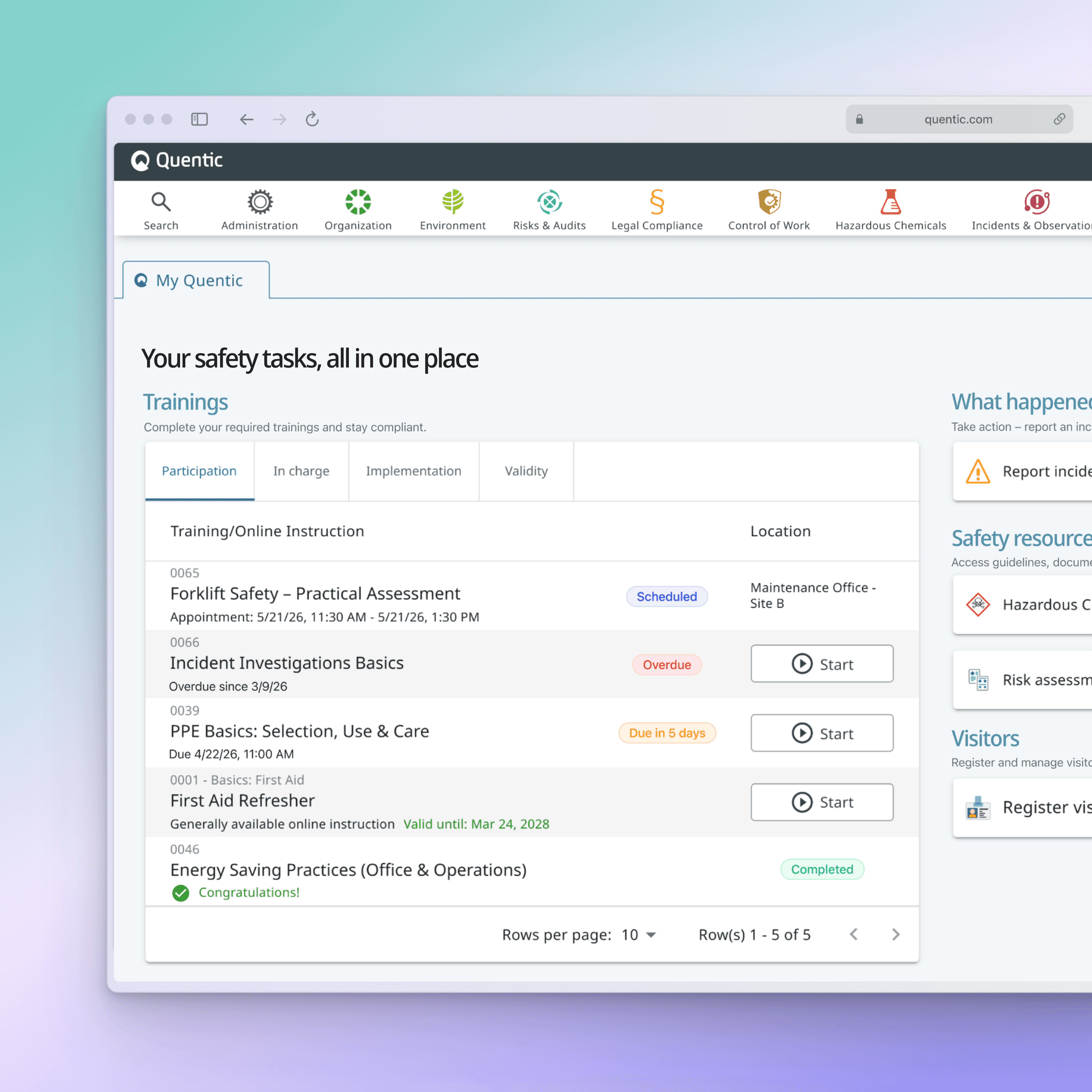
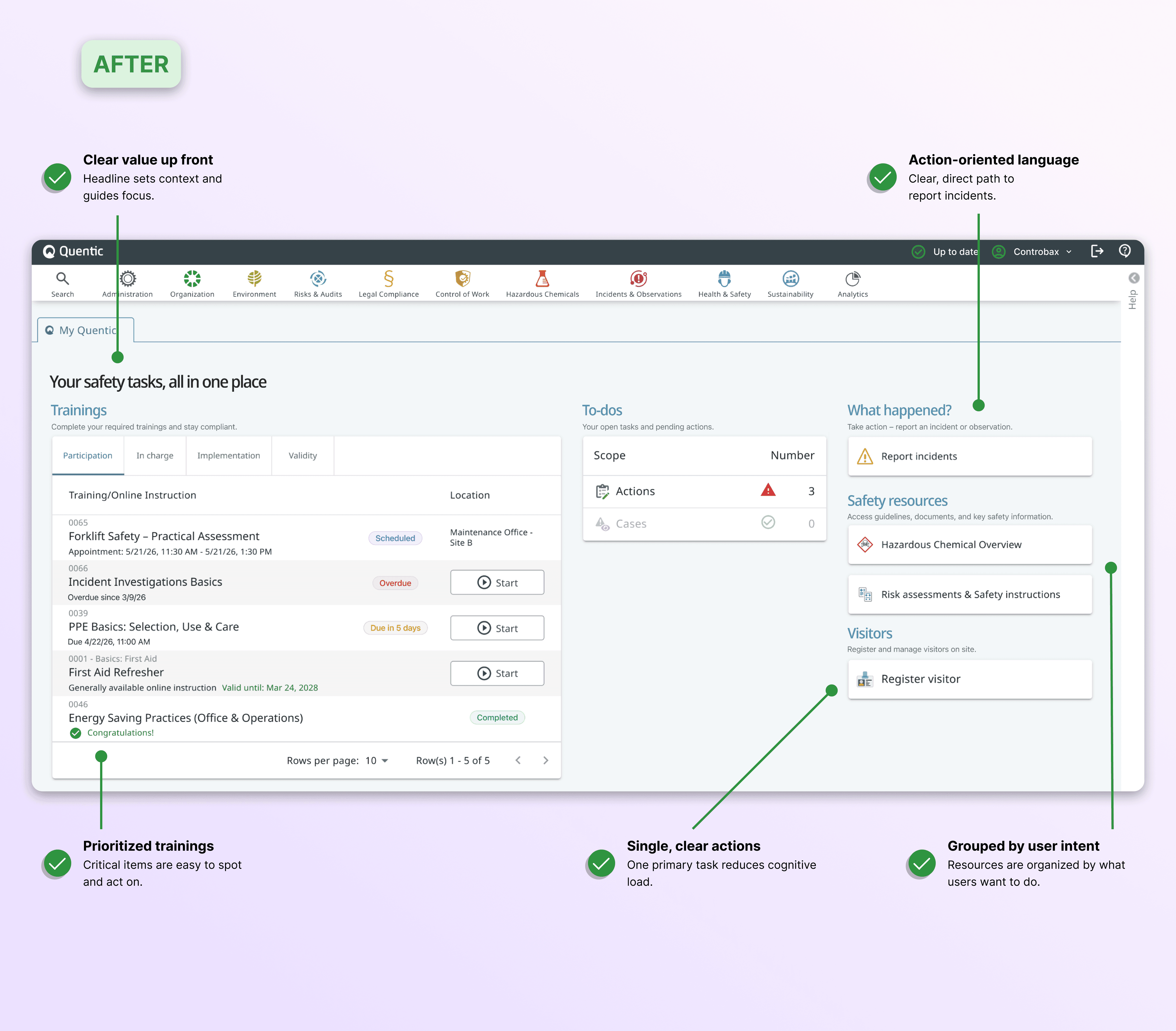
The original start page surfaced modules, records, widgets, and administrative tools simultaneously. Valuable information was available, but users had to work too hard to find what mattered. I redesigned the experience around common tasks and decision points instead of system architecture.

Task-focused microcopy

Clearer status visibility

Navigation organized around user goals

Slide 1
Slide 1

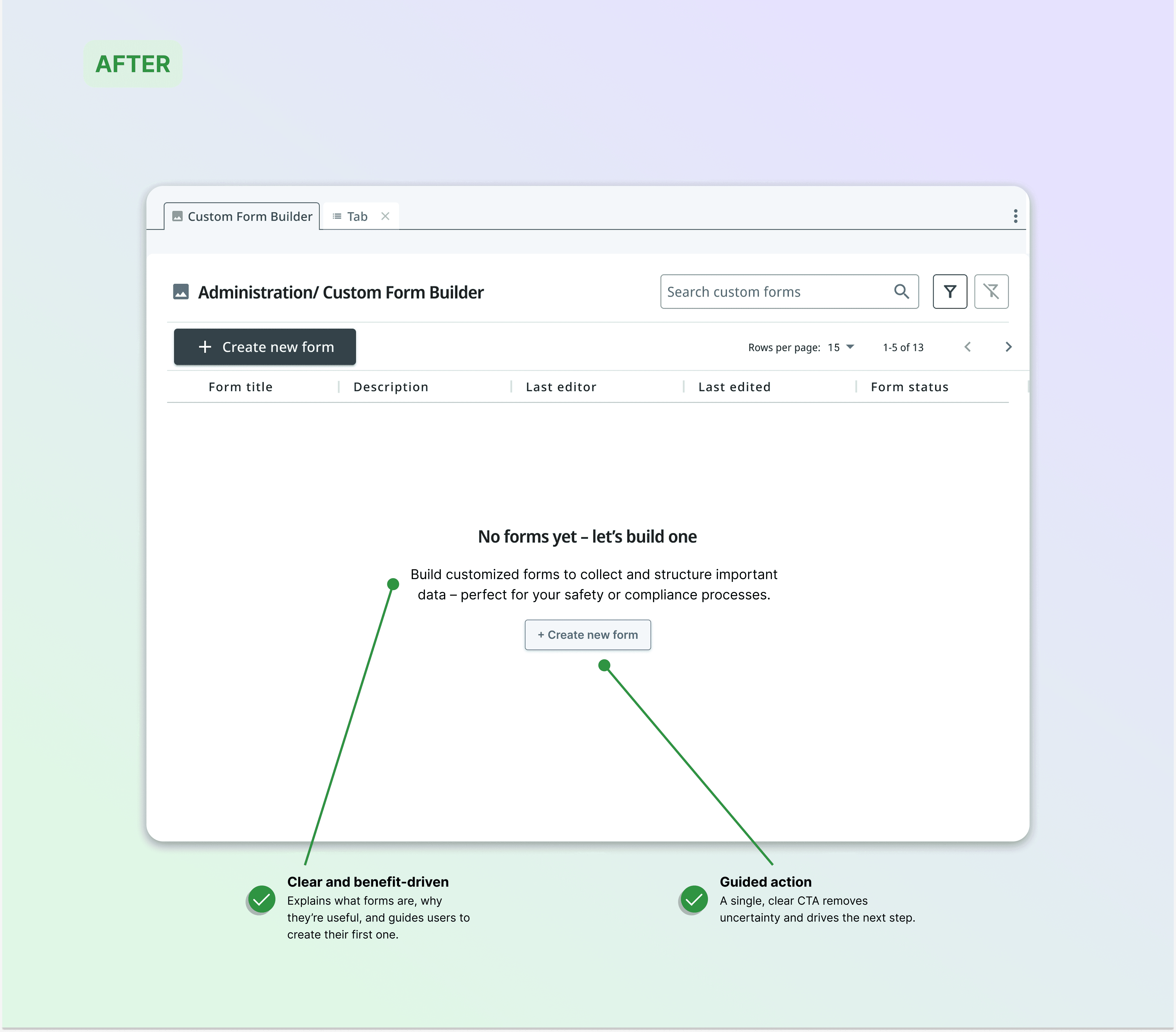
02_ EMPTY STATE REDESIGN

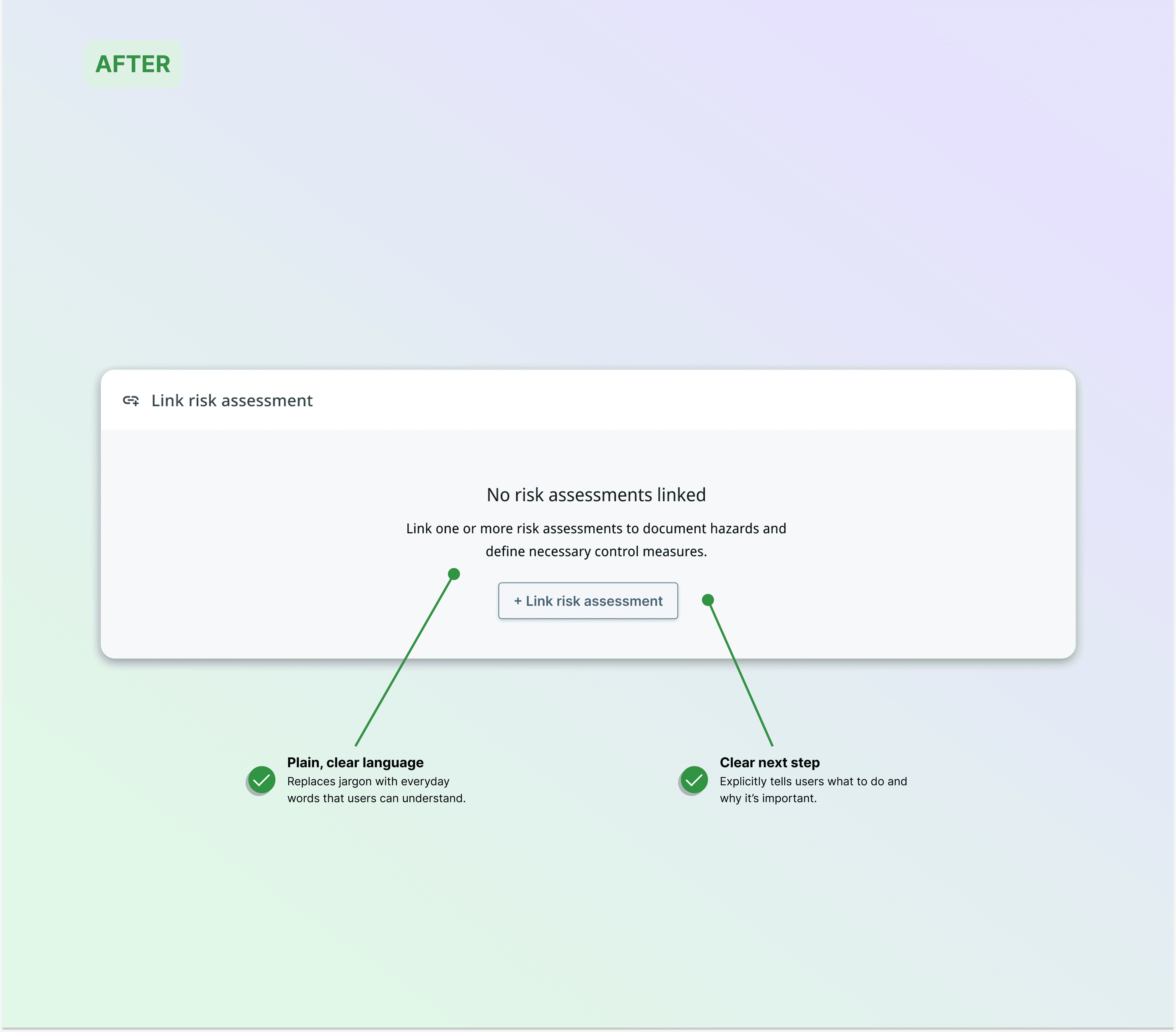
Empty states that actually help

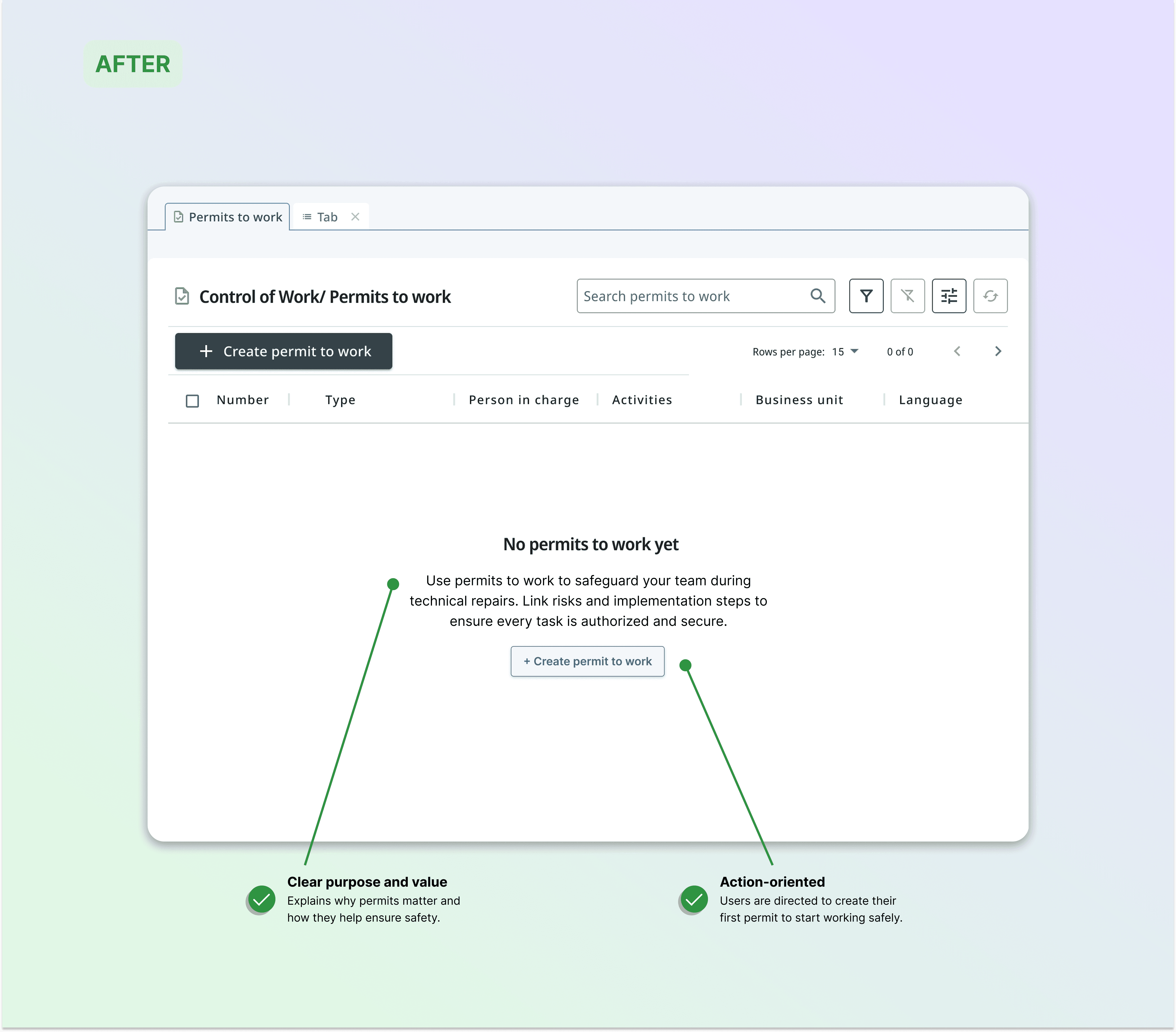
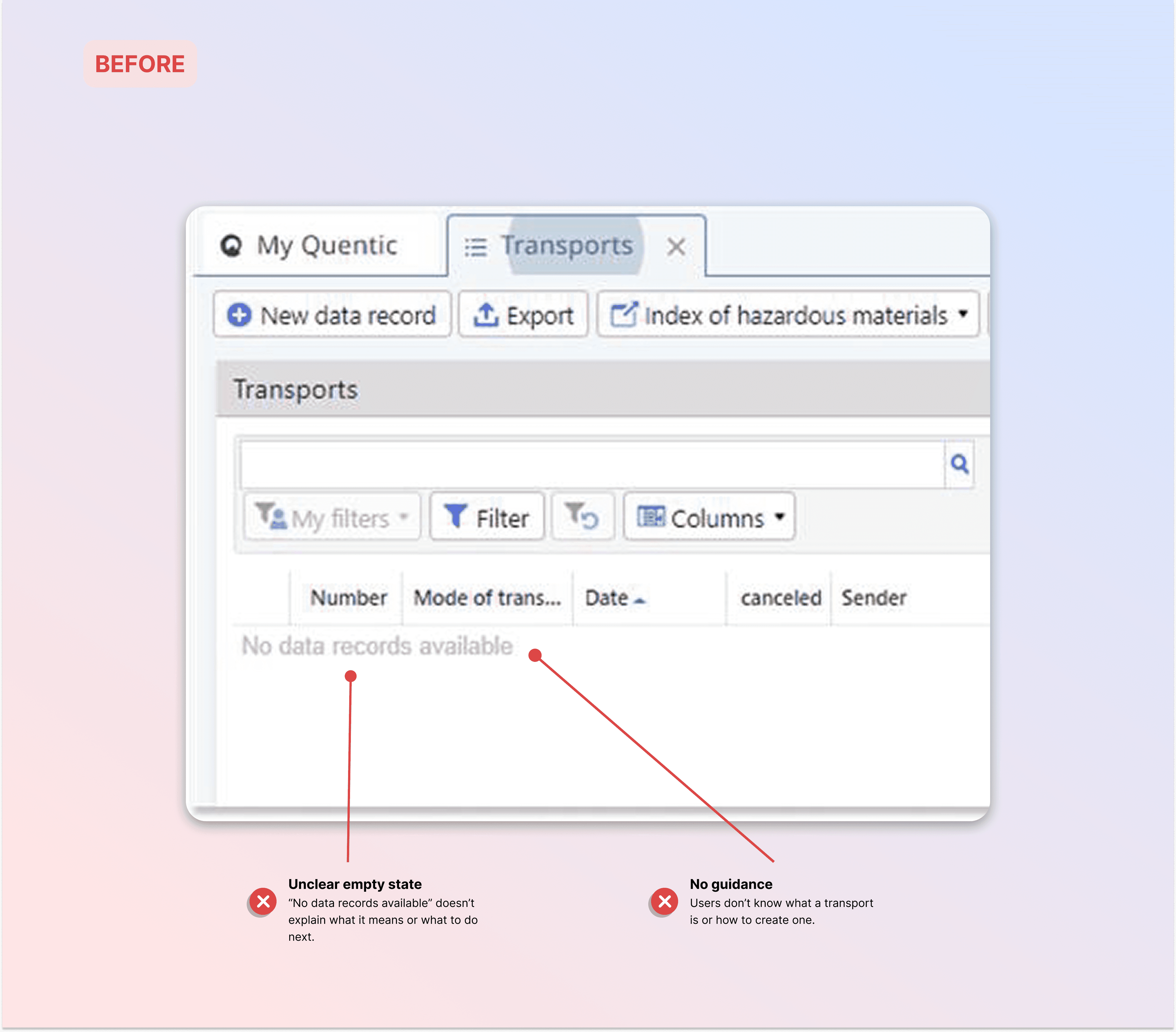
Many empty states across the platform simply said: "No data records available." Technically correct. Practically useless. I redesigned empty states to guide action instead of describing absence.

Clear explanations of purpose

Human, task-oriented language

Simple onboarding guidance

Slide 1
Slide 1
Slide 2
Slide 3

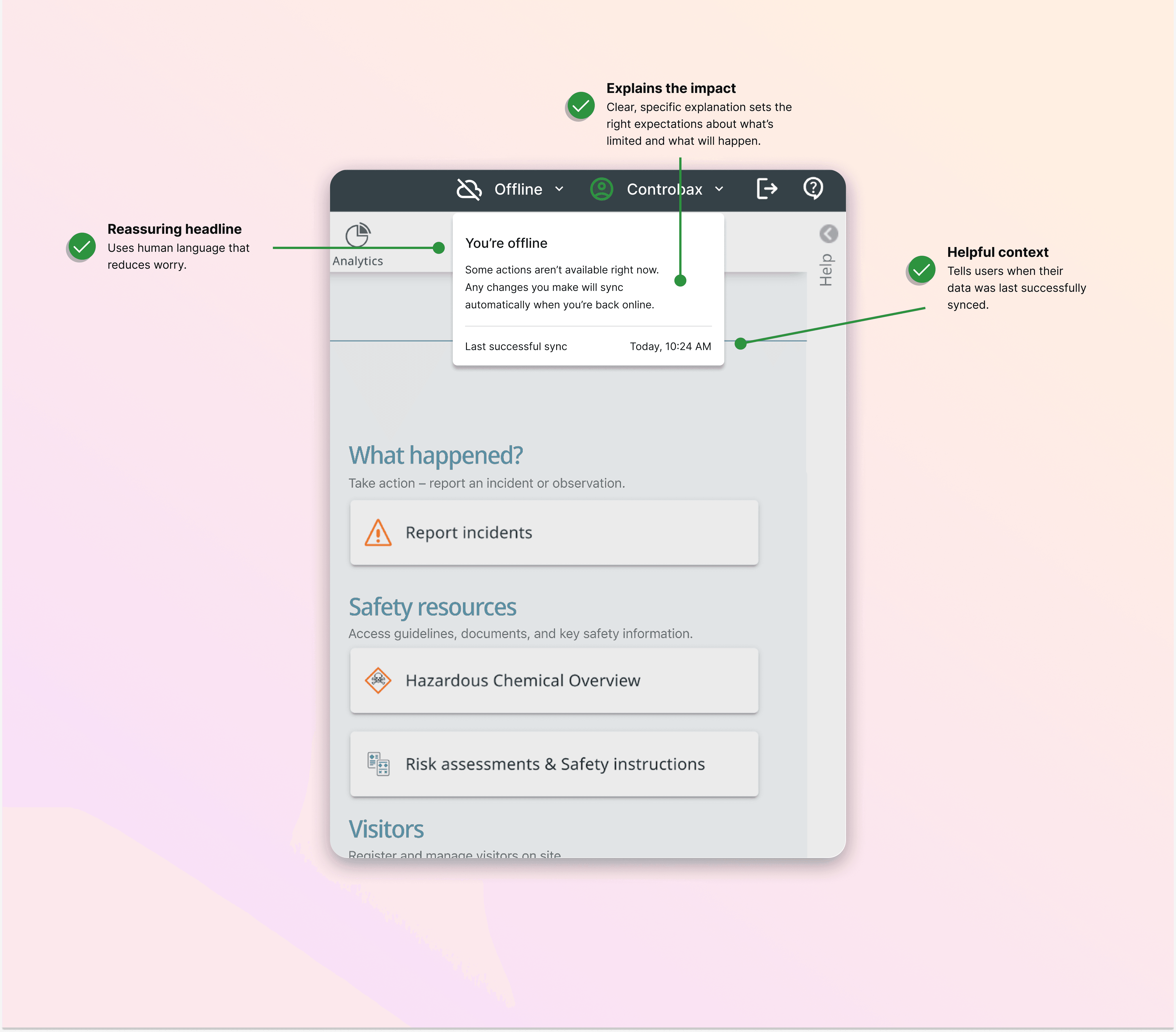
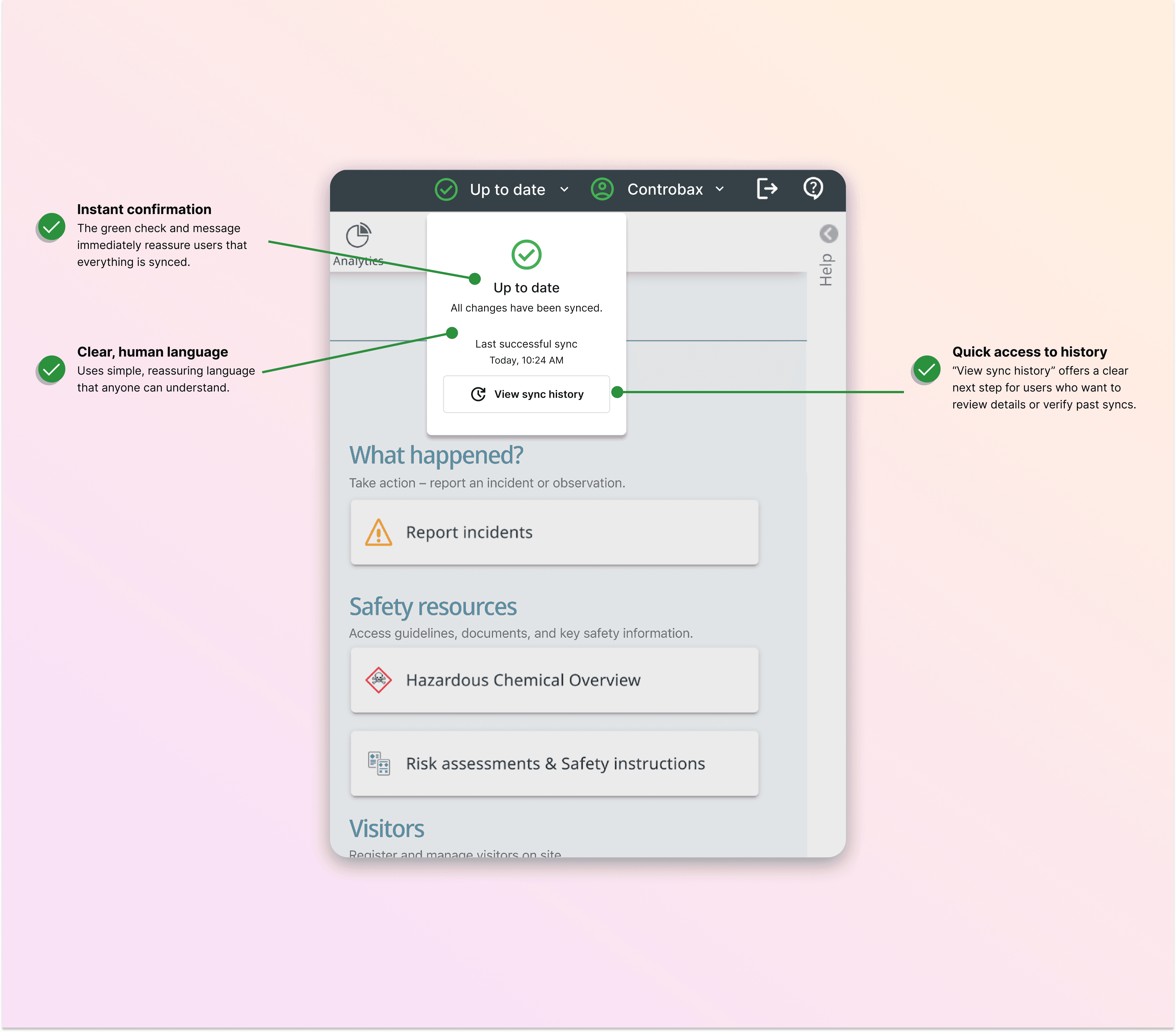
03_ OFFLINE MODE

Building trust when connectivity disappears

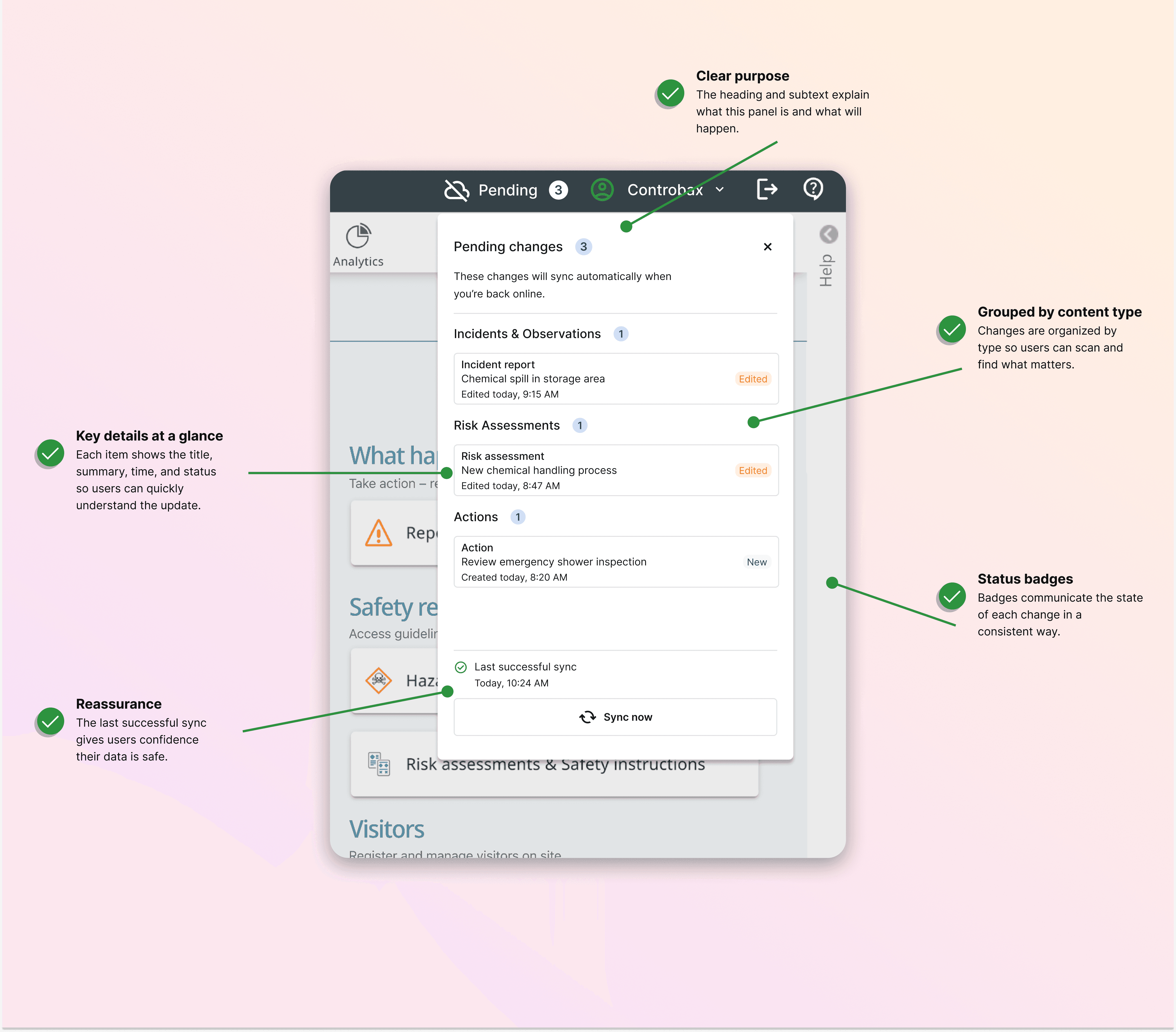
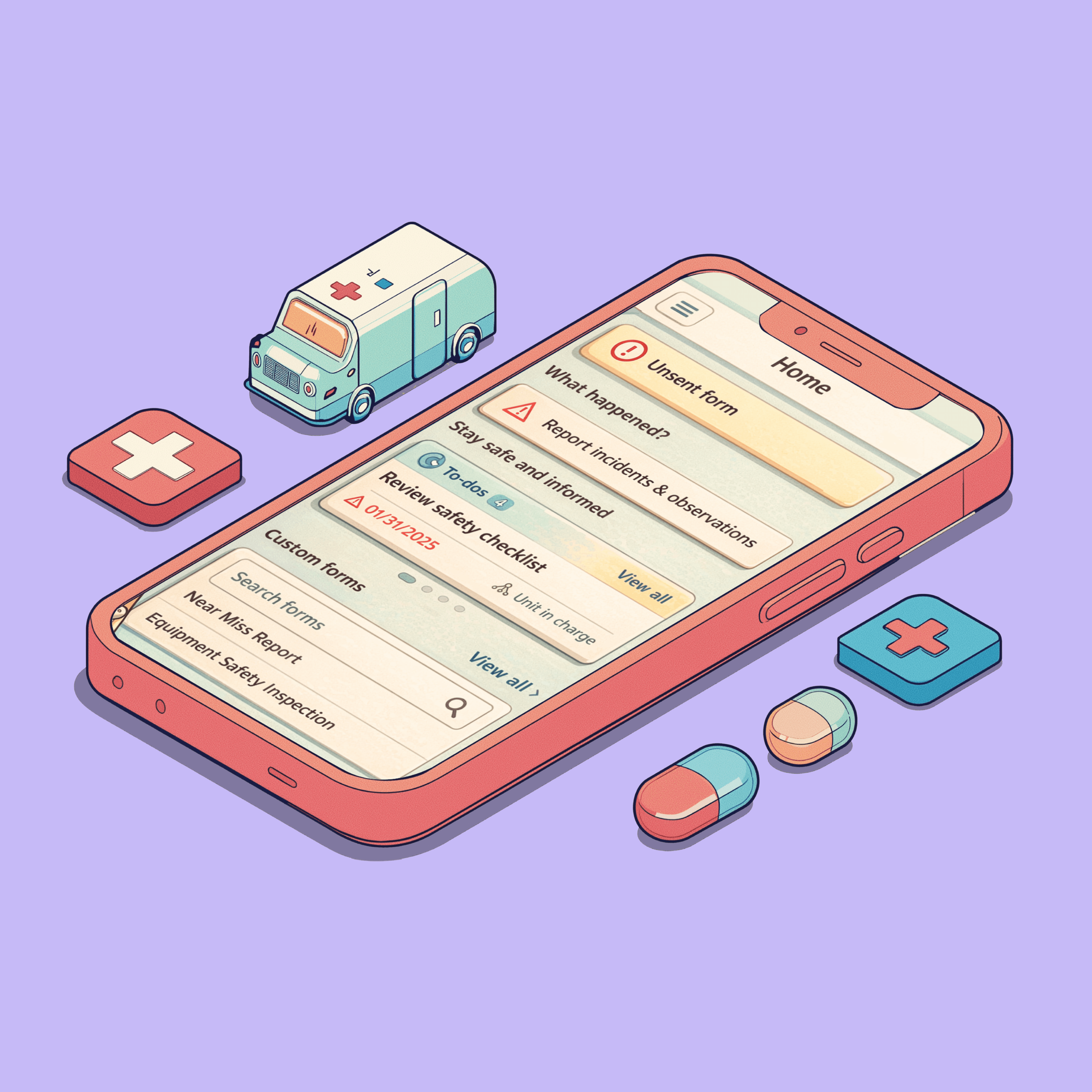
Offline capability was introduced to support users working in warehouses, industrial sites, and low-connectivity environments. The challenge wasn't only technical. Users needed to understand whether their work was saved, what would happen next, and whether they could trust the system while offline. I designed a communication model that showed only the information users needed in the moment, while making detailed sync information available when required.

Plain-language sync states

Progressive disclosure of technical details

Confidence-building status and error messaging
Slide 1
Slide 2
Slide 3